Absynth 6, the long-awaited update to this iconic instrument, has just been released by Native Instruments. It includes an awesome new interface and innovative functionality that will speed up your workflow in finding that perfect sound for the context. If you are new to Absynth or an existing user, read what follows to get an idea of the capabilities of this updated beast.
THE ABSYNTH 6 INTERFACE
The Browser Page
Perhaps the most exciting new feature of Absynth is the new Browser interface, which features a dot matrix-like graphic display where each dot represents a preset that relates to the user-defined tags specified. Dots in close proximity share sonic similarities, making it easy to experiment with variations.
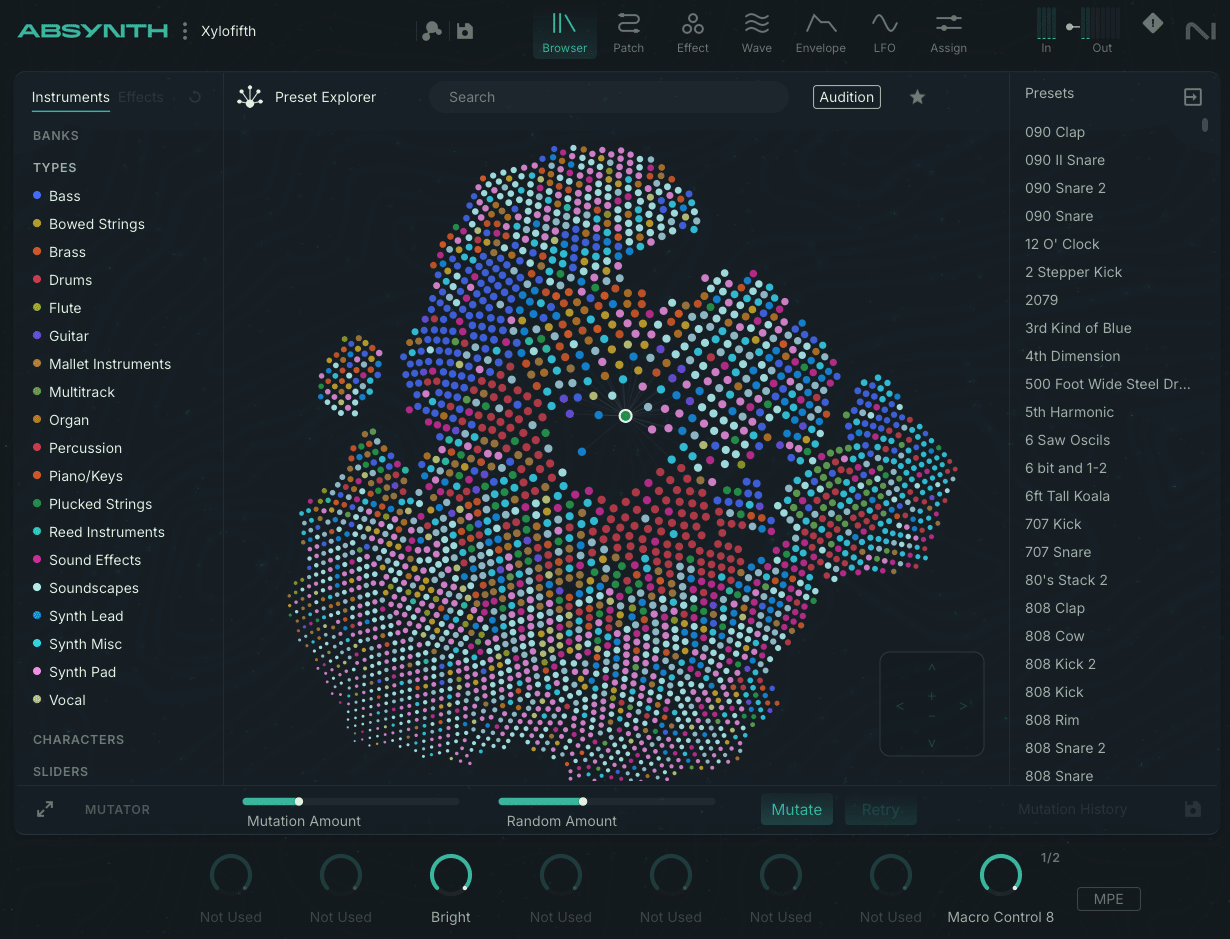
The Banks Category allows you to access legacy presets or expansion packs.
The Types Category identifies instrument-like sounds such as guitar, plucked strings, synth pad, etc.
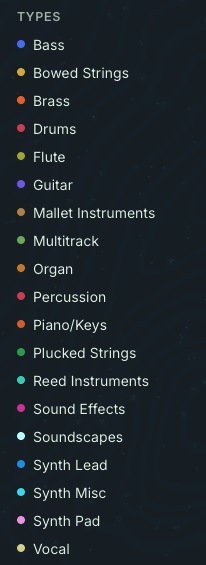
The Characters Category uses descriptors such as Arpeggiated, Long/Evolving, Percussive, etc.
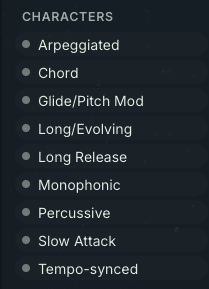
The Sliders Category offers an alternative way to search presets with an array of continuum, such as Dark to Bright, Soft to Aggressive, Dry to Spacious, etc.

The Mutate button, along with the Mutation Amount and Random Amount sliders, allow you to quickly generate even more variations of a given preset. Or you can click on the expansion icon on the left of the mutation section to further tweak the parameters.
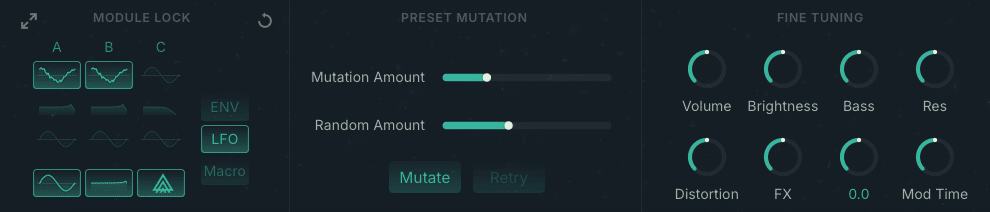
It is fast and easy (and not to mention fun) to explore all sorts of sonic possibilities without ever opening the hood. But fear not tweakers—the innards of Absynth 6 are loaded parameters to keep you deeply engaged in a timeless sonic journey limited only by ear fatigue or sheer exhaustion.
The Patch Page
The Patch Window is where the signal flow starts and has been updated with a sleek, modern new look. As with previous iterations, the Patch window has three oscillator channels (A,B, and C).
The Source Module
The top source module is the source of the particular channel, with options such as standard oscillator shapes and a robust selection of wavetables.

The top menu is where you select the type of synthesis to be used, such as standard oscillation, granular synthesis, FM synthesis, sampler, and more. Changing the synthesis method will alter the available controls accordingly.
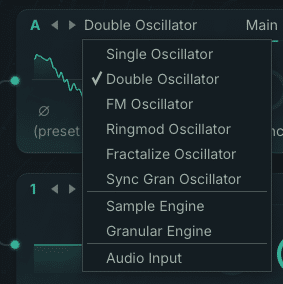
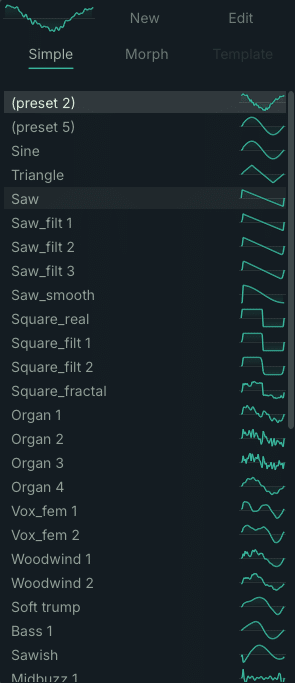
The Fractalize Oscillator is particularly interesting. As per the developer, “the selected waveform is copied to itself so that smaller elements of the waveform become similar to the image of the whole. You can use the Fractalize Oscillator to add overtones to a plain waveform.”
The Filter Modules
Below the Source module are two Filter sections which offer a variety of standard and unusual filler algorithms, including Supercomb and Cloud, a granular process. Again, available controls change with the selections made here.

The Modulator Modules
Modulators like Frequency Shift and Ring Modulation can be placed anywhere in the signal chain except for the source modules and the last module, which is reserved for effects. These modulators have independent built-in oscillators that alter the incoming signal.
The Effects Page
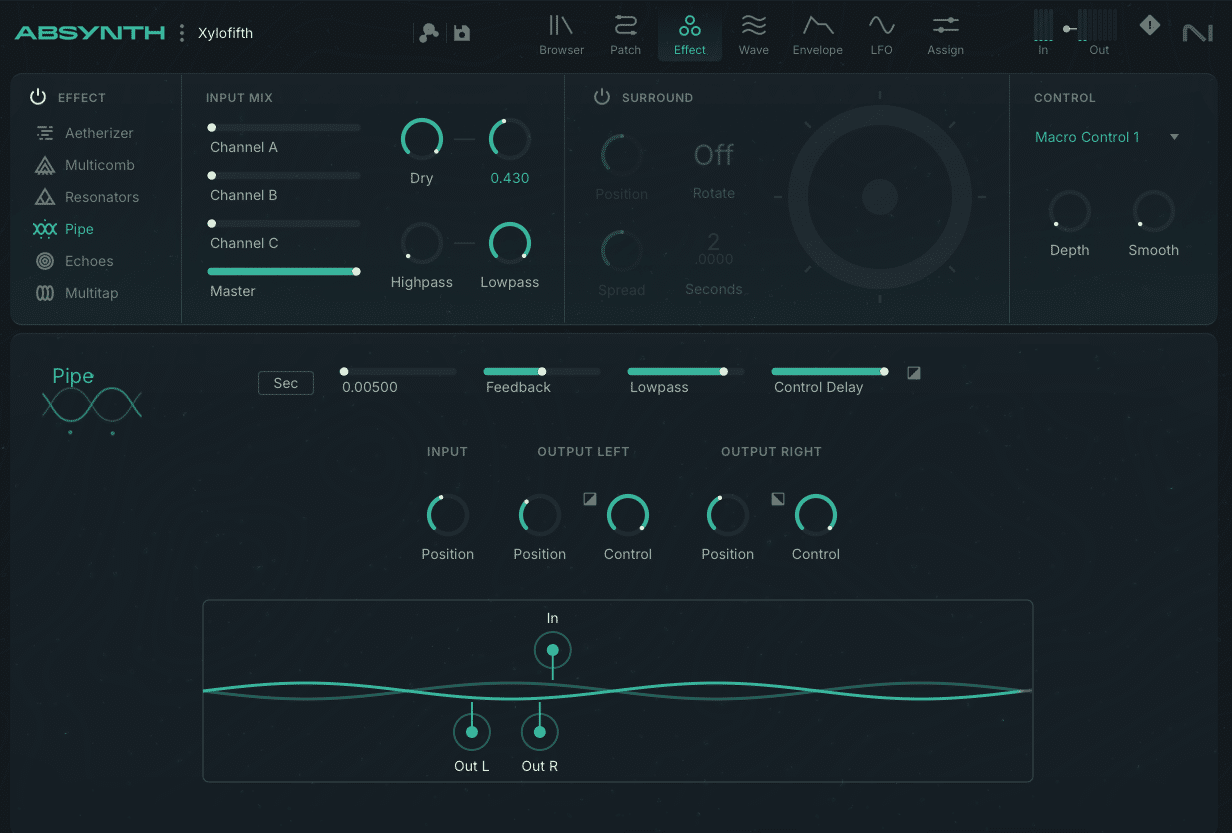
Included are six effects modules that can provide a dizzying array of possibilities.
- Aetherizer – granulizing effect
- Multicomb – six independent comb filters
- Resonators – three virtual resonant bodies to produce echo and reverb FX
- Pipe – reproduces the physical characteristics of resonating bodies using component modeling
- Echoes – classic echo effects
- Multitap – three tap delay
All effects can be finessed to your heart’s content in the effects page.
The Wave Page
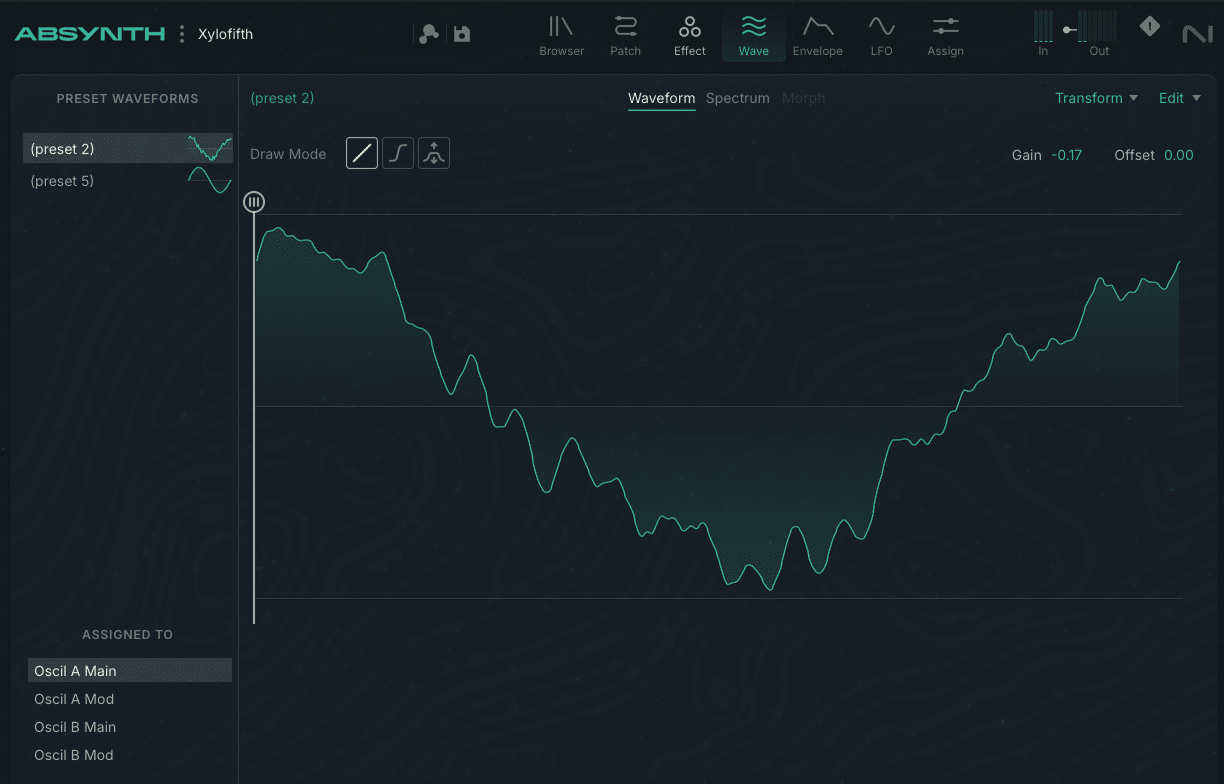
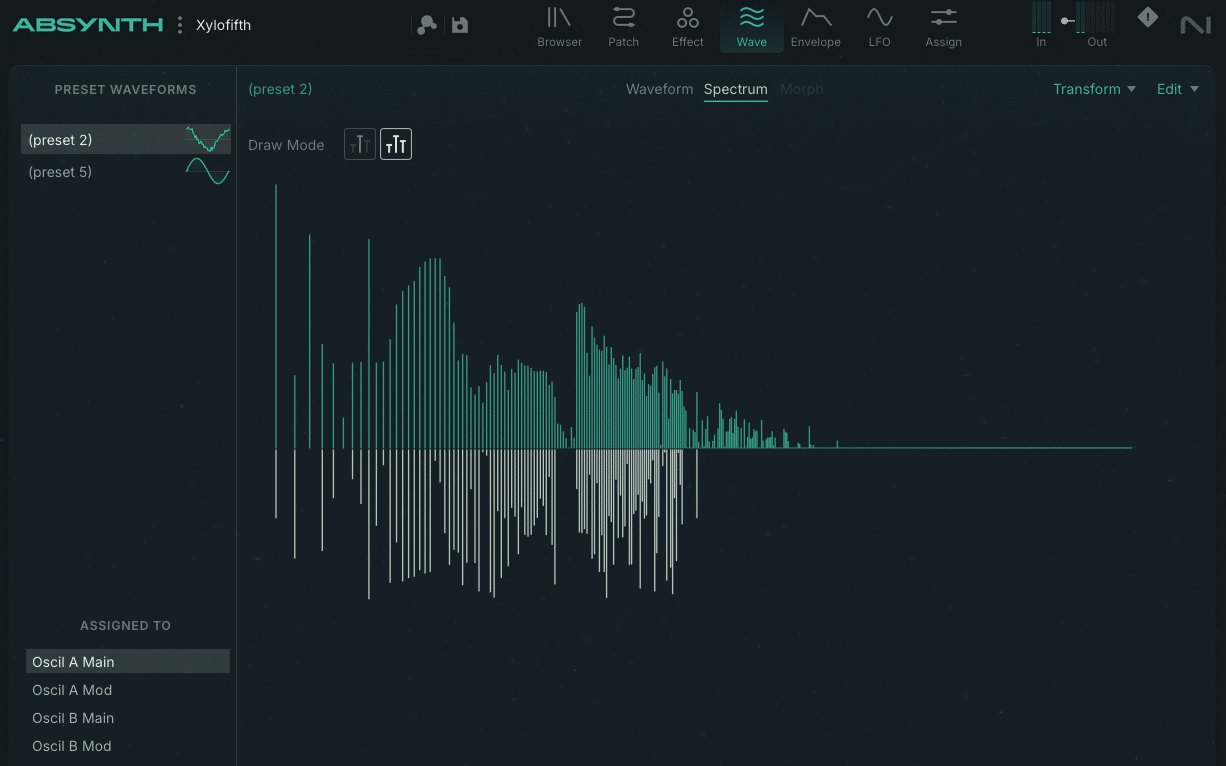
This page lets you alter existing waveforms or create new ones from scratch to be used in various modules such as oscillators and other LFOs. You can easily draw in waveforms or alter the spectrum of a waveform with your mouse. Super cool!
The Envelope Page
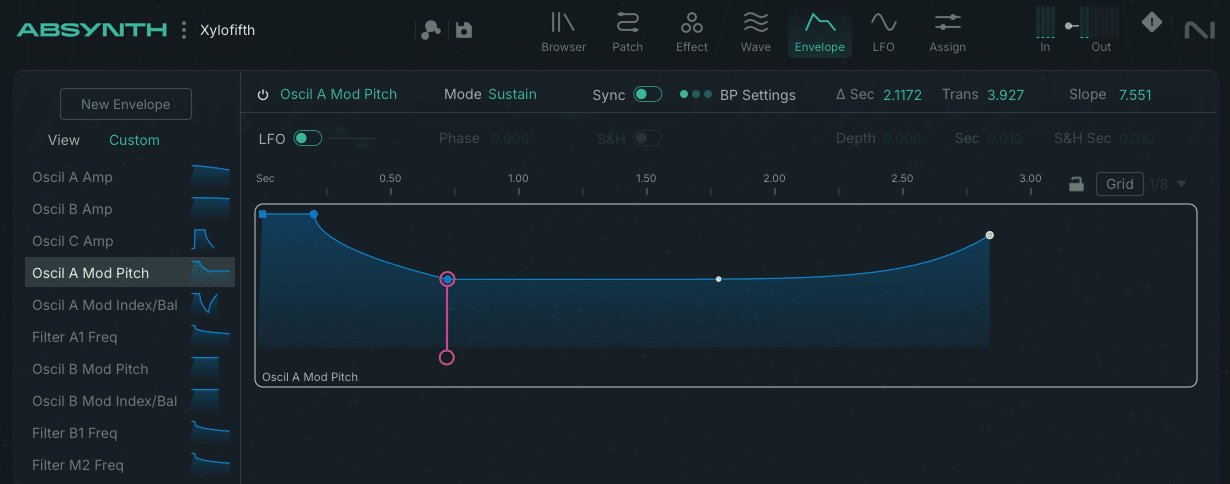
As with the wave page, creating new envelopes is as simple as dragging nodes around with your mouse or typing in specific values.
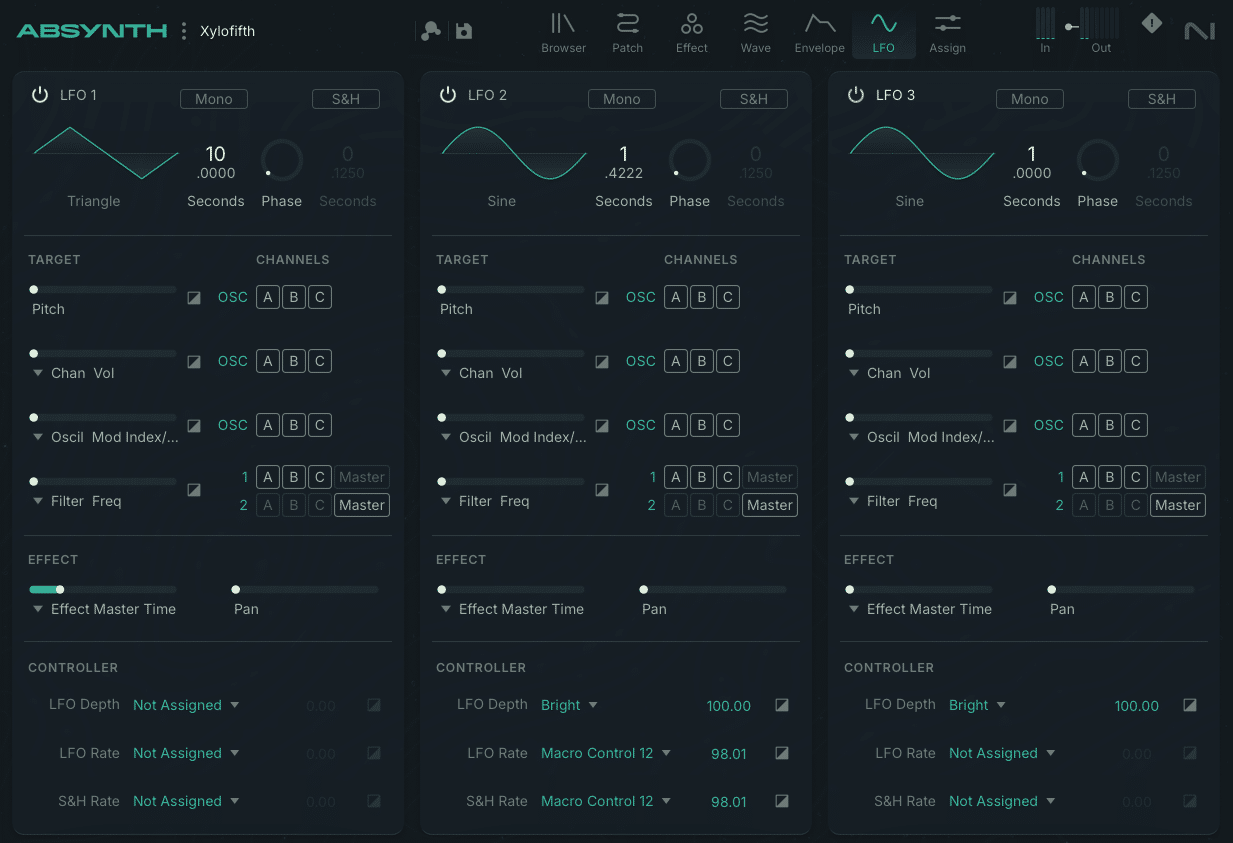
The LFO Page
Up to three LFOs can be used to modulate parameters in the Absynth signal path. Here, you can specify target parameters, intensities, and controller assignments as desired. Included are standard wave shapes, wavetables, and two preset slots for shapes you can design in the Wave Page.
The Assign Page
Finally, in the Assign Page, you configure Macros, MIDI Control, MPE settings, CC settings, note scaling, and other global controls. You can also import tuning files, and I’m very happy to report that Absynth 6 supports MTS-ESP microtuning, making global tuning choice accessible across your session.
VIDEO BY THE CREATOR OF ABSYNTH – BRIAN CLEVINGER
CONCLUSIONS
If you’re an existing user of Absynth, you will absolutely love the updates and new functionality in this instrument. If you haven’t tried Absynth, you’ll be delighted in the sounds you can create almost immediately. The ease of experimenting with and altering the rich collection of presets provided instant inspiration and satisfaction. The device is ideal for creating complex cinematic textures, otherworldly soundscapes, or distinctive and unique sounds for music production.
EXTRAS
Want to win a free license to Kontakt 8? Be one of the first 1000 people to FOLLOW WAVEINFORMER ON INSTAGRAM to be automatically entered to win one of three full-version Kontakt 8 licenses! Read more.
Assess your knowledge of essential audio concepts using our growing catalog of online Quizzes.
Explore more content available to Subscribers, Academic, and Pro Members on the Member Resources page.
Not a Member yet? Check the Member Benefits page for details. There are FREE, paid, and educational options.