Lux Strings by Sonuscore is an incredible string library ideal for scoring film or producing music when warm and thick string textures are called for. In this review, I’ll have a look at some of the special features that set this library apart.
LUX STRINGS GUI

This is a Kontakt-based instrument with a brilliant design that gets to the point without a lot of rigamarole. Everything about his instrument is designed to get the sound you’re after quickly, so your workflow is not bogged down by a clunky or convoluted interface. The GUI is deceptively simple in design, and for those who want to tweak, there is ample room to customize polyphony and voicing, octave dispersion, mic choices, articulation morphing and layering, and more.
The main interface sections include:
MAIN
Depending on the instrument, this section will either show a glowing sphere (as shown above) that changes with the CC1 or Mod Wheel control (typically affecting volume) or, with ensemble settings, the string orchestra layout (seen below).
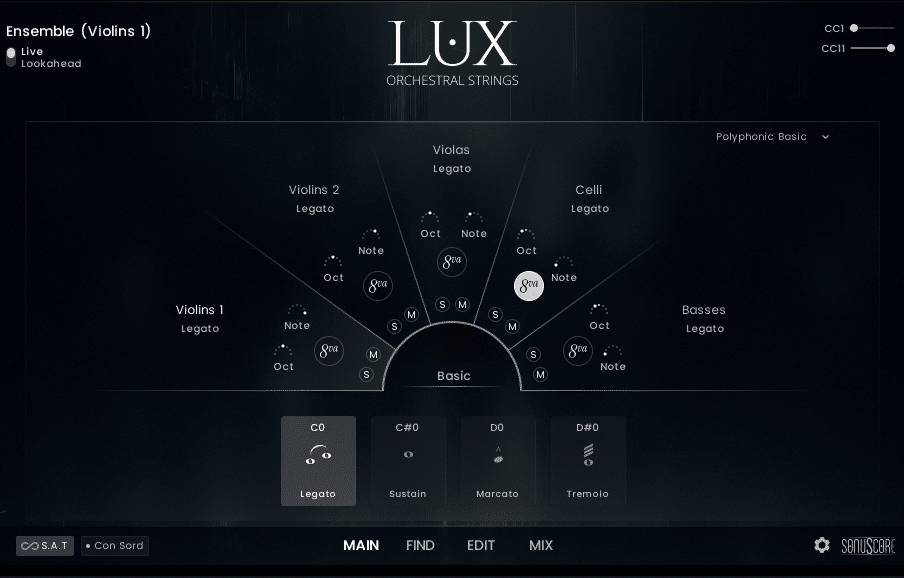
The Main window for single-section settings has a drop-down menu for quick access to articulation groups and texture presets, along with preconfigured Key Switches.
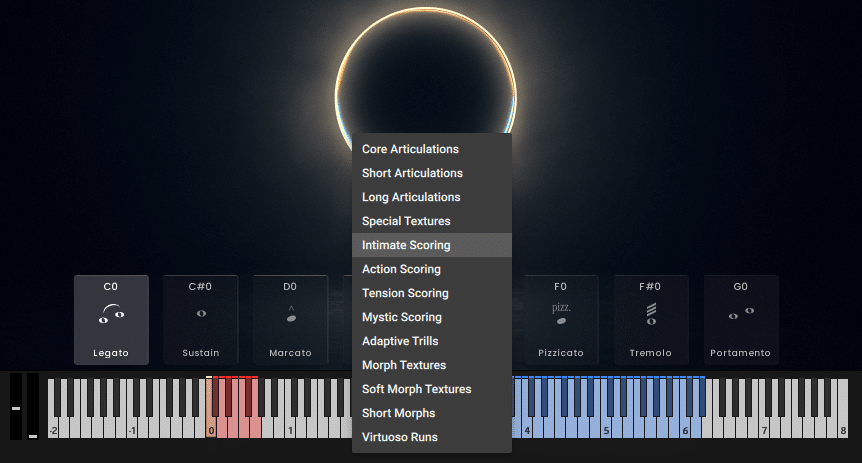
The Main window for ensemble instruments features a dropdown menu for polyphony settings and section-specific controls for octave and chord notes, as well as solo and mute buttons. A drop menu will activate a set of articulation groups based on mood or texture.
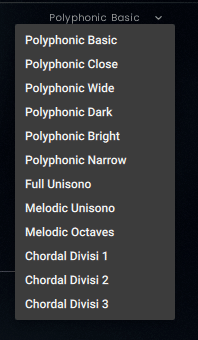
Polyphony Presets:
- Polyphonic Basic – A classic string ensemble voicing with a traditional chord tone distribution across the sections. Suitable for all articulations.
- Polyphonic Close – A close string ensemble voicing with minimal spacing between chord tones. Suitable for all articulations.
- Polyphonic Wide – A wide string ensemble voicing for an especially broad and spacious sound. Suitable for all articulations.
- Polyphonic Dark – A modern ensemble voicing with a dark and rich string tone. Suitable for all articulations.
- Polyphonic Narrow – A very tight voicing with an intriguing interlocking note distribution, creating an emotional and focused sound. Suitable for all articulations.
- Full Unisono – All sections play exactly the same chord tones in unison, resulting in a dense and powerful ensemble sound. Suitable for all articulations except legato.
- Melodic Unisono – A broad brush for single-line unison melodies. Suitable for all articulations — please play monophonically only.
- Melodic Octaves – A lush Hollywood-style octave unison for soaring single-line melodies with beautiful legato transitions. Suitable for all articulations — please play monophonically only.
- Chordal Divisi 1 – A finely spread ensemble voicing featuring divisi in some sections, ideal for dense, multi-voice chords. Due to the divisi note allocation, not suitable for legato.
- Chordal Divisi 2 – A finely spread ensemble voicing featuring divisi in some sections, ideal for dense, multi-voice chords. Due to the divisi note allocation, not suitable for legato.
- Chordal Divisi 3 – A finely spread ensemble voicing featuring divisi in some sections, ideal for dense, multi-voice chords. Due to the divisi note allocation, not suitable for legato.
FIND
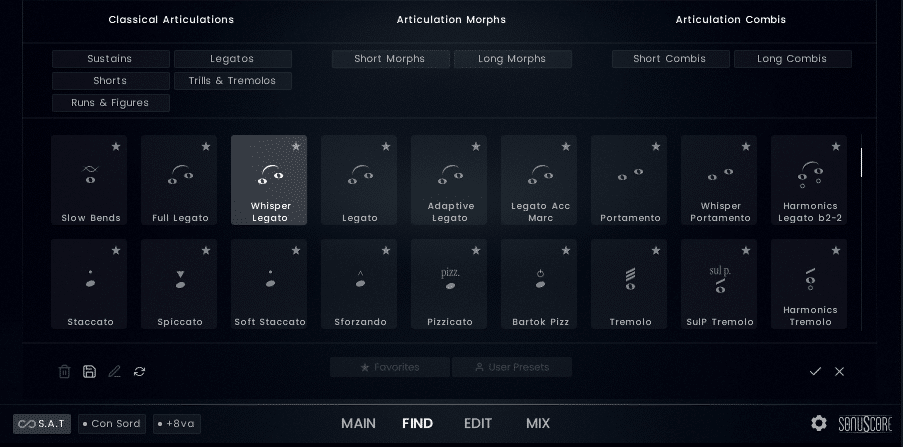
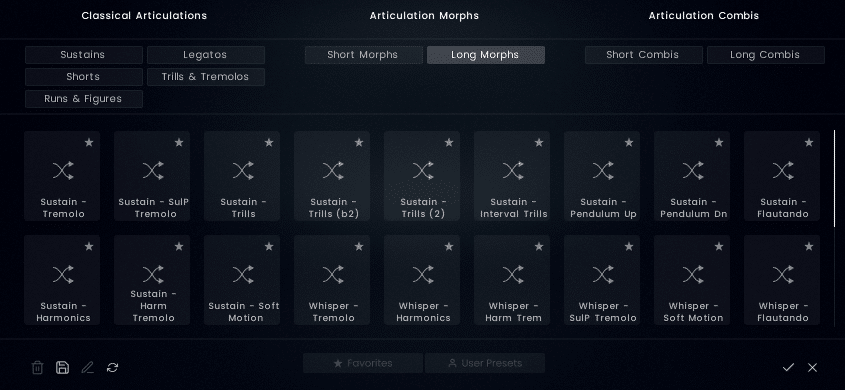
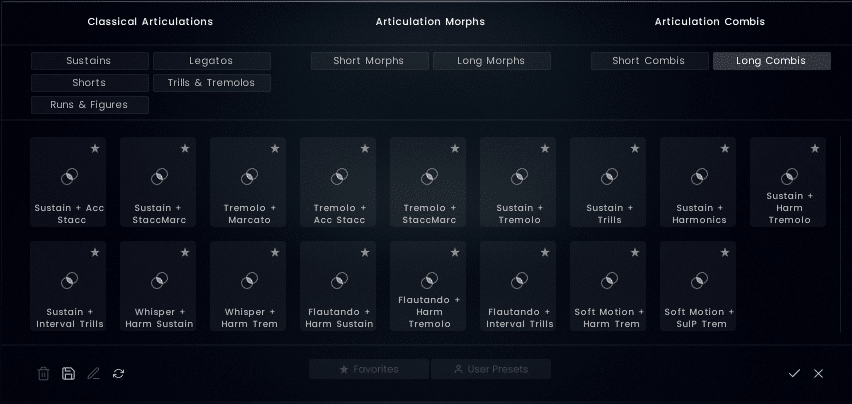
The FIND tab will expose a menu of articulation possibilities organized by classic articulations, articulation morphs, and articulation combinations. This is a brilliant way to provide quick access to all the options in a visually oriented library of effects.
EDIT
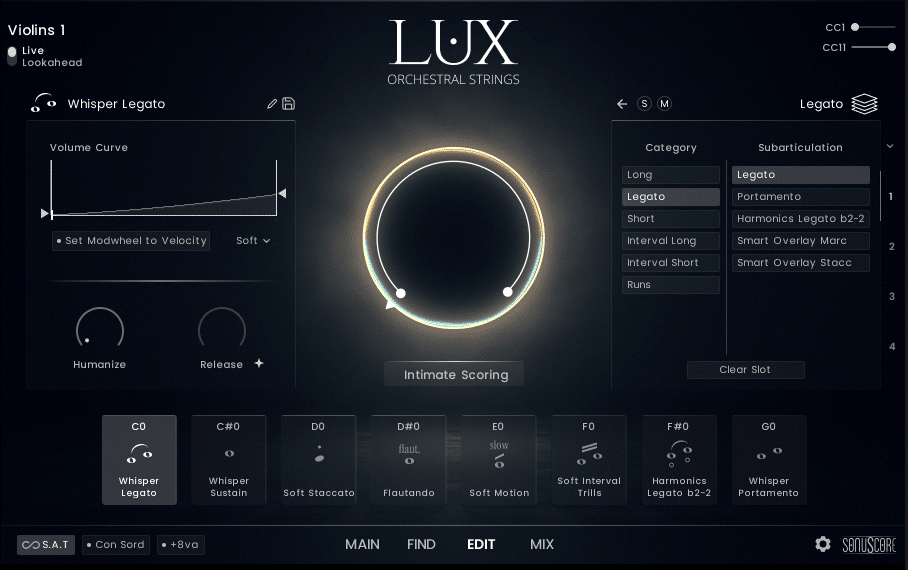
This tab provides controls for volume and velocity curve settings, amplitude envelope, and mod wheel settings, which are linked to the current articulation setting.
MIX
Under the MIX tab, you’ll find different settings for ensembles and instrument sections. For ensembles, there are individual section levels and effects send controls, and a drop-down menu for microphone presets.
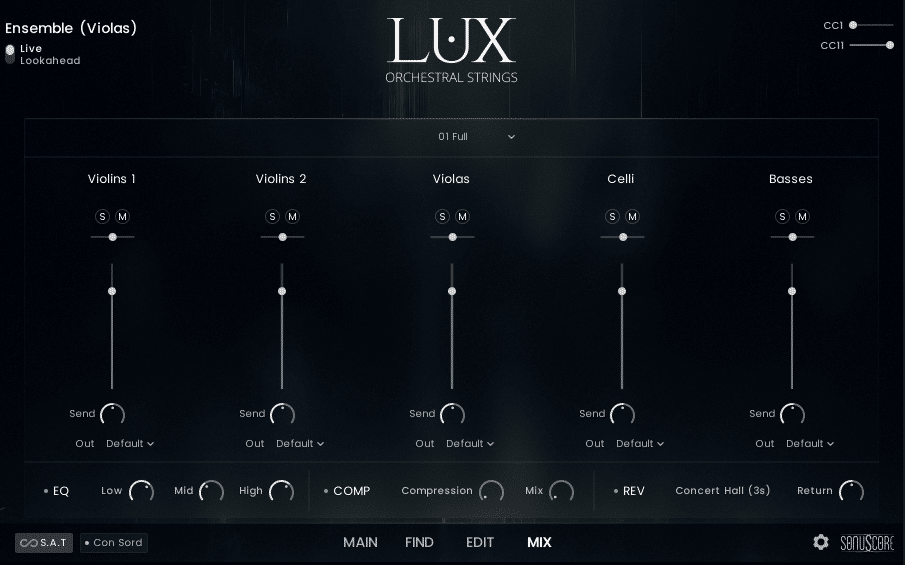
This window also includes basic effects like a three-band EQ, simple compression, and reverb with three choices, including Concert Hall, Room, and Small Room.
The MIX tab for individual sections has level and send controls for each microphone setting which include full, close, Decca tree, far, and bleed.
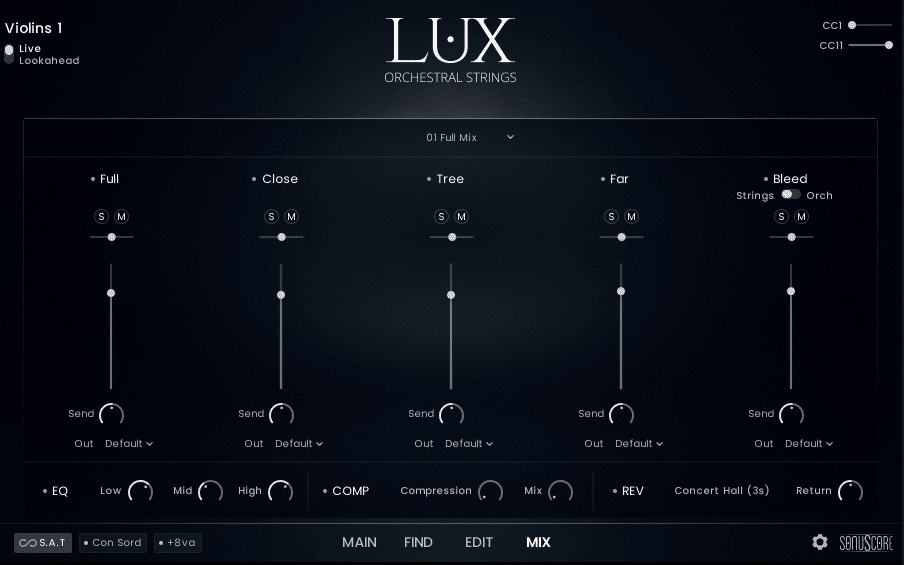
The Mic Bleed setting is a unique approach that emulates a scoring stage with stunning realism. Over 20 additional mics were set up for the purpose of recording mic bleed in various locations. This adds a sense of space and warmth not otherwise possible. You can also set output channels for each microphone setting for section instruments or the sections themselves in ensemble instruments.
Visible with most tab views are buttons quickly adding a mute effect (con sord.), adding an octave, and a button labeled S.A.T., which stands for seamless articulation transitioning, described by developers:
In most libraries, articulation changes sound like separate recordings, not a continuous performance. Real musicians play differently – they flow naturally from one technique to another. A sustained note becomes a tremolo simply by increasing bow speed, without any break or restart.
S.A.T. brings that fluid motion to LUX. Move between articulations while holding a note, letting phrases evolve with the natural expressiveness of real performance. A gentle key switch creates a gradual shift, a stronger one a quick change – giving you true instrumental flow at your fingertips.
There is an ever-present Live/Lookahead switch. The developer provides specific latency information to ensure synchronization while in Lookahead mode:
LUX Orchestral Strings has two playing modes: Live Mode and Lookahead. In Live Mode, all articulations play as they are, with the initial note of the legato having a delay of -150 ms and the rest of the legato reacting to a delay of -250 ms. Use this mode when finding melodies and playing live.
In the Lookahead Mode all sample starts are unified and optimized for a delay of -250ms. Set your track delay to this value, and LUX will be perfectly in sync with your other instruments. Please refer to the relevant documentation for the necessary steps to set a track delay in your digital audio workstation.
The ability to quickly add a mute effect or an additional octave with convenient buttons in the interface shows that this library was crafted with the workflow of composers in mind.
LUX STRINGS – SECTIONS
This library features a massive 70-piece string orchestra including:
- 18 – 1st Violins
- 16 – 2nd Violins
- 14 – Violas
- 12 – Celli
- 10 – Contrabases
While being capable of producing huge cinematic textures, the developers have somehow retained the detail and clarity characteristic of smaller ensembles, offering flexibility for a variety of contexts. Settings include single instrument sections and ensembles, most with preset articulations or organized by the type of texture or mood. Examples settings for ensembles or individual sections:
- Action
- Basic
- Intimate
- Longs
- Morphs Mystic 1 and 2 Short Morphs
- Shorts
- Soft Morphs
- Tension
- Trills
Instrument-specific settings include:
- Special Textures
- Virtuoso Runs
- Adaptive Trills
- Whisper Legato
- Whisper Sustain
- Whisper Portamento
- Trill Figure Down and Up
- Sul Pont Tremolo
- Slow Bends
- Runs Up and Down (Major and Minor)
- Pendulum HT Gliss Dn and Up
- Harmonics
ARTICULATIONS, GESTURES, AND MORPHING
The library offers a robust set of articulations conveniently organized into logical musical contexts. Aside from all the traditional and extended technique articulations found in most dedicated string libraries, LUX offers some unique sounds and approaches.
SUBARTICULATIONS AND MORPHING
Each articulation consists of up to four different layers of Subarticulations. These are the foundation of the library and can be edited, morphed, or layered individually via the Subarticulation Editor and then saved as new articulations to be available through the Find Page.
Morphed articulation sets allow for seamless transitioning between playing techniques with a mod wheel or other mapped continuous controller. These are organized by short and long morphs. You can see and adjust the ranges of the Subarticulation Slots in the Orb in the middle of the GUI.
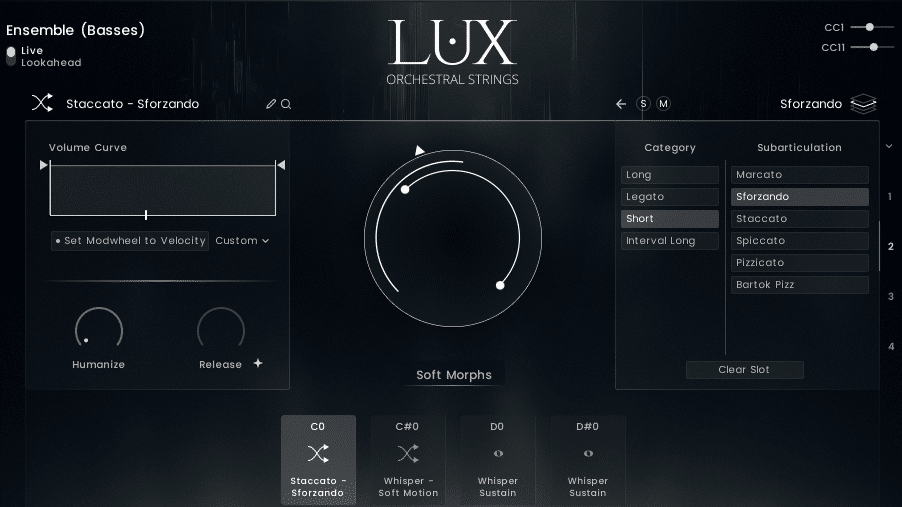
Articulation combinations are also organized under short and long groupings, allowing for quick access to combined textures.
Check out the online manual for a complete list of available articulations and features.
DEMOS
You can find plenty of audio demos on the LUX product page.
See the video walkthrough from the developer below:
CONCLUSION
LUX is a complete orchestral string package, and no additional bundles are needed. And it works with the free version of Kontakt! I’ve played and heard a lot of libraries, and I have to say this ranks among the best of the best. Unique features like adaptive legato, pendulum gliss effects, articulation morphing and layering, custom polyphony and voicings, and meticulous recording considerations like mic bleed make this library particularly attractive. You can achieve an unprecedented degree of realism with this library, particularly when creating evolving textures previously only possible with a live string section. It is perfect for any context requiring the warmth of soaring epic strings or contemporary string effects. This is next-level work from the composer-minded developers at Sonuscore!
EXTRAS
Want to win a free license to Kontakt 8? Be one of the first 1000 people to FOLLOW WAVEINFORMER ON INSTAGRAM to be automatically entered to win one of three full-version Kontakt 8 licenses! Read more.
Assess your knowledge of essential audio concepts using our growing catalog of online Quizzes.
Explore more content available to Subscribers, Academic, and Pro Members on the Member Resources page.
Not a Member yet? Check the Member Benefits page for details. There are FREE, paid, and educational options.