OVERVIEW
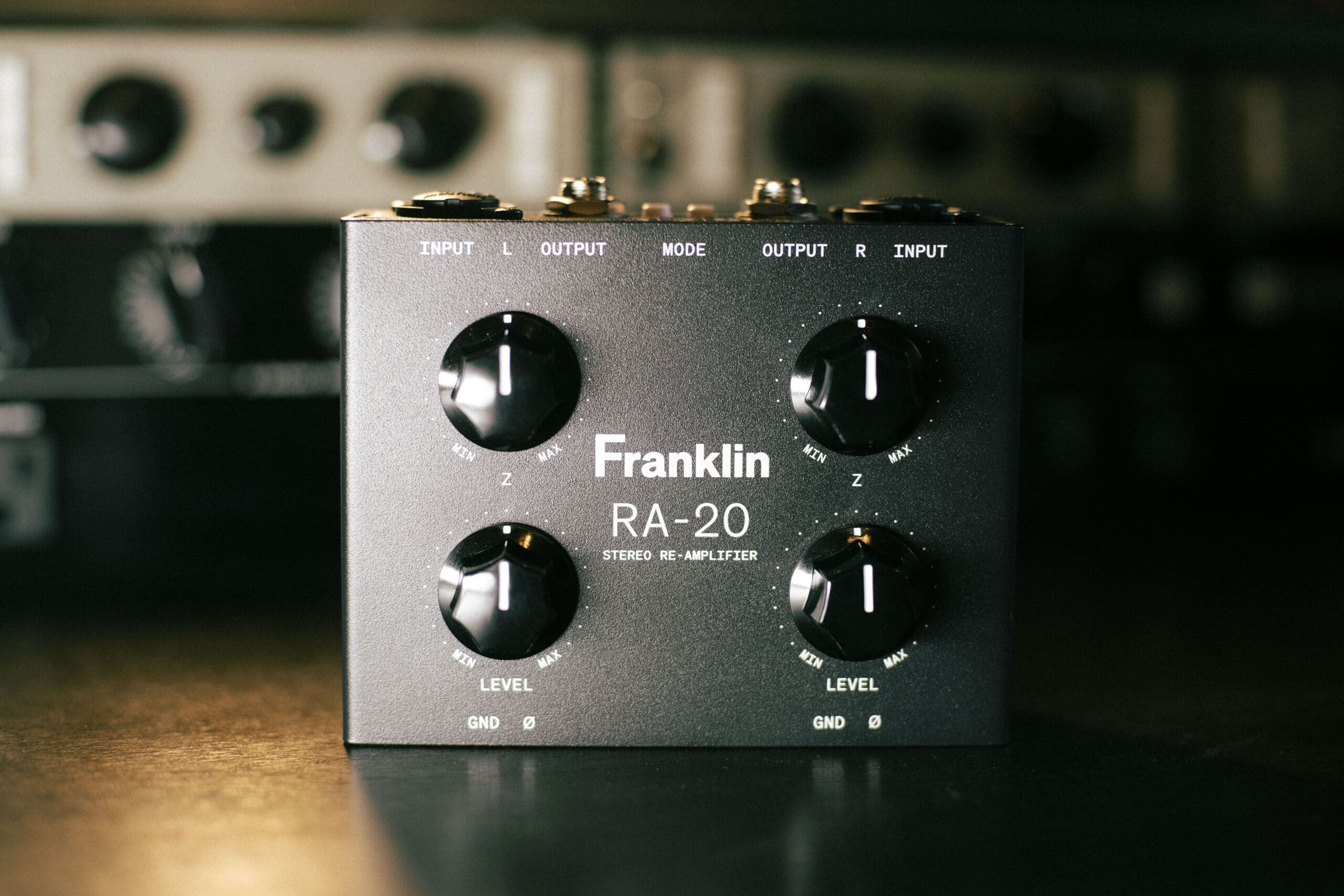
In this Franklin Audio RA-20 review, I’ll discuss the setup and applications of this exciting re-amplifier. The RA-20 is a passive unit (no extra power cable needed) that does something I’ve wanted from a re-amplifier for a very long time: it lets me work in true stereo. For years I’ve kept a trusty mono re-amp box in my studio, and it’s served me well — but I always found myself longing for a proper stereo unit. So much of what I want to run back through hardware exists in stereo: drum overheads and buses, a wide stereo piano, doubled or stereo-processed vocals, and yes, even an entire mix. Doing that a channel at a time, or collapsing to mono and losing the image, was always a compromise I resented. The RA-20 erases that compromise entirely.
With two transformer-balanced channels, our-favorite variable impedance design, high headroom, independent per-channel controls, and four switchable routing modes, the RA-20 is the most flexible passive re-amp box I’ve come across. It’s fully passive — no power required — and small enough to live permanently on the desktop.
WHAT IS RE-AMPING?
Engineers have been re-recording already captured signals for over half a century, sending recordings of vocals, strings, guitar, etc. out of the console, into speakers placed in a reverberant chamber, and then recording them again to blend with the original. I found a variety of stories alluding to the first application of modern re-amping as we know it, which is taking a direct (DI) signal, running it through an amplifier, and re-recording it. Part of the appeal is that you commit to the performance first and decide on the tone later, auditioning different amps, pedals, and mic setups without ever asking the player to nail the take again.
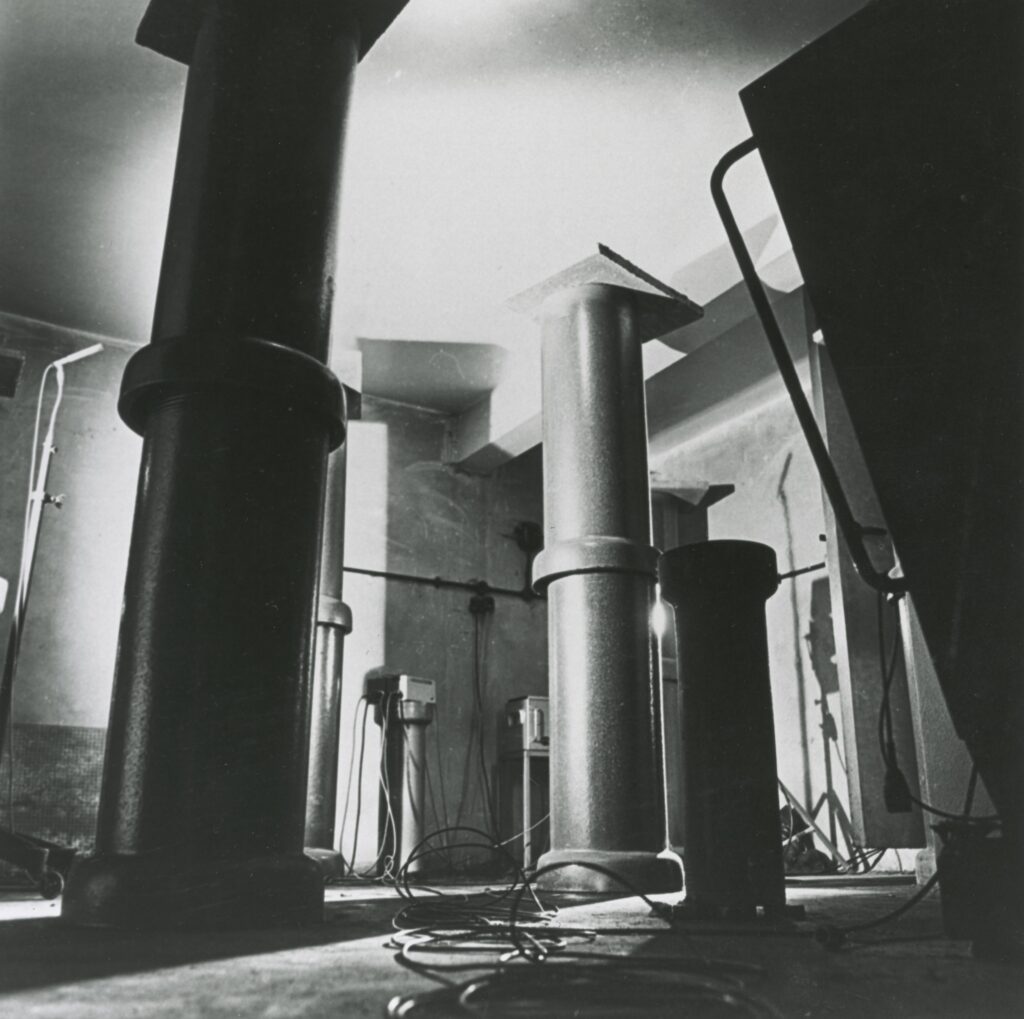
Sending signal into speakers in the Abbey Road reverb chamber, a sort of precursor to re-amping as we know it today.
In its modern form, “re-amping” has grown into something much broader. These days the term describes running any pre-recorded material — synths, vocals, drum loops, full mixes — through pedals and amps that were originally designed for guitars and basses. That’s where a stereo box like the RA-20 becomes so exciting. Instead of being limited to mono sources, you can send wide, stereo material back out into the physical world, run it through real pedals and amps, and recapture it with all its dimension intact. It turns your pedal collection into a rack of hands-on, analog outboard processors — used the way plugins are used, but with the tactile feel and unpredictability only hardware provides.
Re-amping is one of the most fun ways to add character to already-recorded sources when producing and mixing, and is one my favorite techniques for placing my sonic fingerprint on a production.
UNBOXING AND CONSTRUCTION
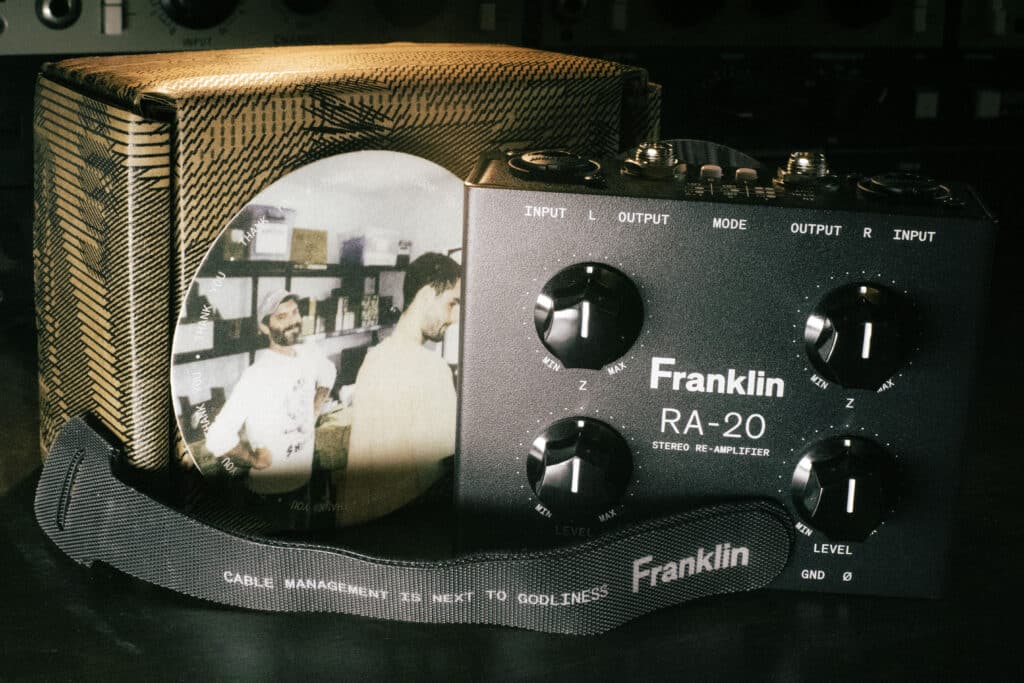
The unit comes shipped in a sturdy cardboard box, and includes a velcro cable-tie, and two nice coasters, one featuring an image of the photogenic Franklin Audio team. Right out of the box, the RA-20 feels like a serious piece of studio gear in a deceptively small package. The enclosure is compact and genuinely desktop-friendly — it takes up very little estate — yet it feels dense and well-built, the way passive, transformer-based gear tends to. There are no wall warts, no USB, no power switch to fuss over. It’s fully passive, which means one less thing to plug in and one less potential source of noise.
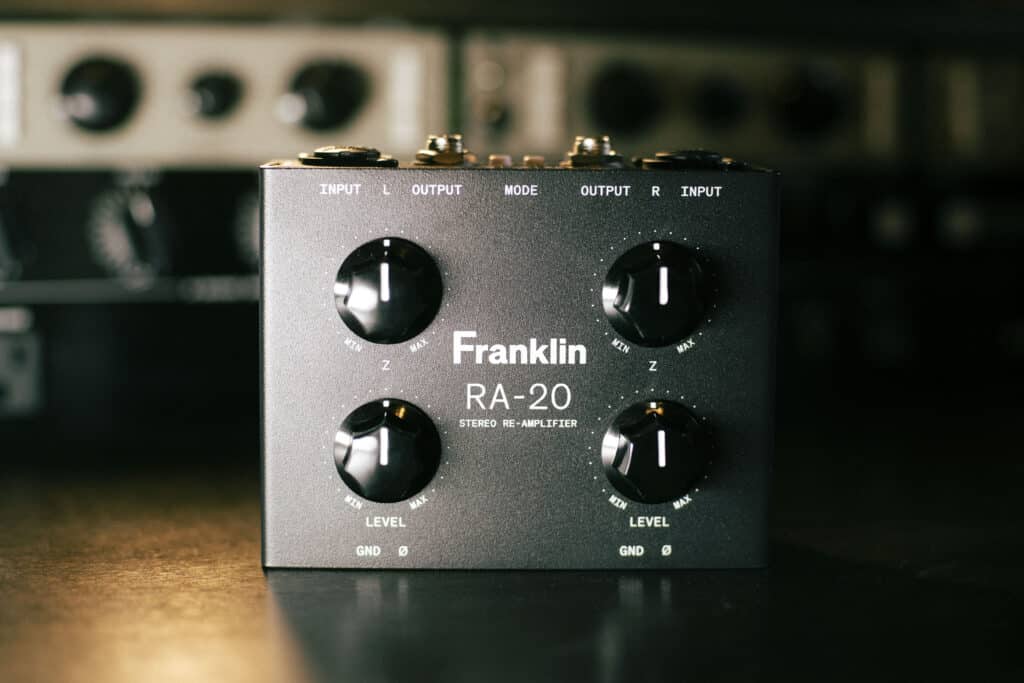
Each of the two channels gives you a Level trim and a variable Impedance (Z) control, plus Ground lift (GND) and Polarity (Ø)* switches. The Z control is the secret weapon here — it varies the output impedance the box presents to your pedals or amp, effectively letting you dial in the feel of a single-coil, a humbucker, or somewhere in between. As Franklin puts it, fuzzes especially come alive or fall flat depending on what’s feeding them, and being able to sculpt that interaction by ear is enormously satisfying. Lower settings generally read brighter, higher settings darker, but it’s genuinely a set-by-ear parameter. The Ground lift is there to kill any ground-loop hum, and the Polarity switch is a lifesaver when you’re blending re-amped audio back against the source and need to keep everything phase-coherent.
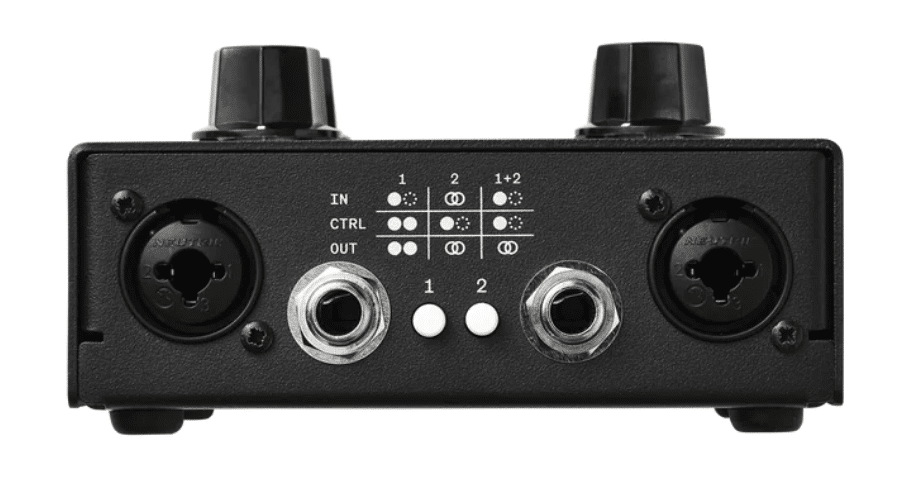
Additional flexibility is made possible by two Mode buttons, which select between four routing configurations:
Mode 1
Dual Mono (both buttons off): The two sides behave like two completely independent RA-10 units. Run two separate re-amp chains, with different sources and destinations, at the same time.
Mode 2
Mono to Dual Mono (button 1 on): One mono source is duplicated to both outputs, each with independent Level and Impedance. Perfect for sending a single track into two different pedal paths at once — say, a slap-back delay on one side and a driven amp on the other.
Mode 3
True Stereo (button 2 on): The inputs are treated as a stereo pair controlled entirely from the left-side controls, so you re-amp in true stereo without having to match both channels by hand.
Mode 4
Mono to Stereo (both buttons on): One mono input feeds both outputs with linked controls — ideal for running a single guitar through two amps simultaneously with unified settings.
You can switch between these on the fly, and there’s a legend printed on the back panel to remind you which is which. It’s an elegant, no-menu, no-nonsense control set that covers essentially every mono and stereo re-amp scenario I can think of.
SETUP
Getting the RA-20 into my workflow was refreshingly painless. My primary interface is a Universal Audio Apollo, and I simply run a pair of Line Outputs from the Apollo (I use physical outputs 5-6 on my system, which are labeled 7-8 digitally due the Apollo reserving 1-2 as the main output) into the RA-20’s balanced inputs. From there, the RA-20 converts that clean, line-level signal down to the instrument level and impedance that pedals and amps actually want to hear.
Next is setting up your I/O correctly inside your DAW, and once that’s done it becomes second nature. I work in both Ableton Live and Pro Tools, and while there are minor differences between the two, the principle is the same: Route the track(s) out of the DAW via the correct line outputs (again, 5-6 on my setup) and the Franklin receives the signals. From there, my options feel limitless: I can go to any combination of pedals and right back in, or direct to a pair of guitar amplifiers, or the pedals and then the amps, etc. Sometimes I’ll have a specific sound in mind and I can achieve it within minutes. Other times, I want to experiment and the sense of play/inevitable sonic chaos is as valuable as the final recording.
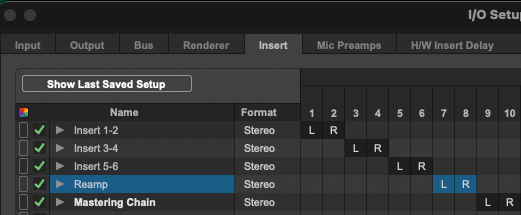
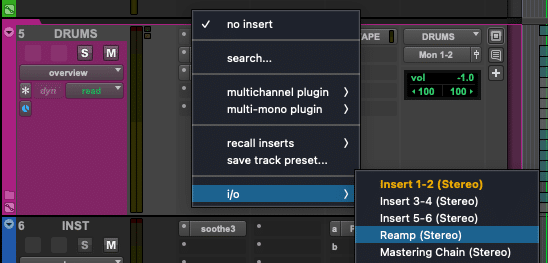 Once correctly setup in the I/O in Pro Tools, I can send signal directly to the RA-20 as an insert.
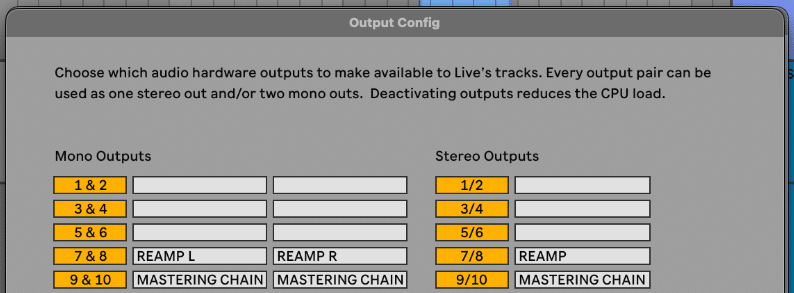
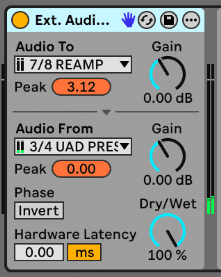
Once setup in the Output Configuration in Ableton Live, I use the External Audio Effect to route signal to the RA-20, and back into Live. This handy utility allows for even more control over the signal than in Pro Tools.
APPLICATIONS AND AUDIO EXAMPLES
The applications of the RA-20 are as wide as your imagination, but here are a few that I use regularly:
GUITARS (Obviously)
There is an argument to be had to NOT leave yourself too many options in post, so often I make sure to get the sound of guitars “right” when recording. That said, having the DI signal to work with can be both helpful and fun. In this audio comparison, version A is the original DI guitar signal, Version B is processed with a variety of pedals including compression and delay, then re-amplified through my Vox AC30 and Fender Princeton Amplifiers, and recorded using Shure SM57 and AKG C414 microphones. Version C has even more pedals in the chain including the Chase Bliss Mood, and Surfybear Compact Deluxe.
DRUMS
In the beneath audio comparison, Version A is the original stereo drums, Version B is the left and right channels sent through my VOX AC30 and Fender Princeton Amplifiers, respectively, and version C is with added spring reverb from the amps.
It’s also a lot of fun (and easier) to route a signal through pedals only. In the beneath audio example, version A is that same drum performance routed through the UAFX Galaxy ’74 Tape Echo and Reverb with a dub-style delay and reverb sound, Version B is through a Hologram Electronics Microcosm on a glitchy setting, and Version C is through the Microcosm on a bit-crushed setting.
VOCALS
In the beneath audio example, Version A is the dry stereo backup vocals, Version B is with a gritty reverb and setting using the Source Audio Encounter, and Version C is with a deeper, richer reverb and delay effect.
STRINGS AND SYNTH
In the beneath audio example, Version A is the original strings and synth part, Version A is through a glitchy setting using the Hologram Electronics Microcosm, and Version B is through a sequencer-like effect using the Microcosm.
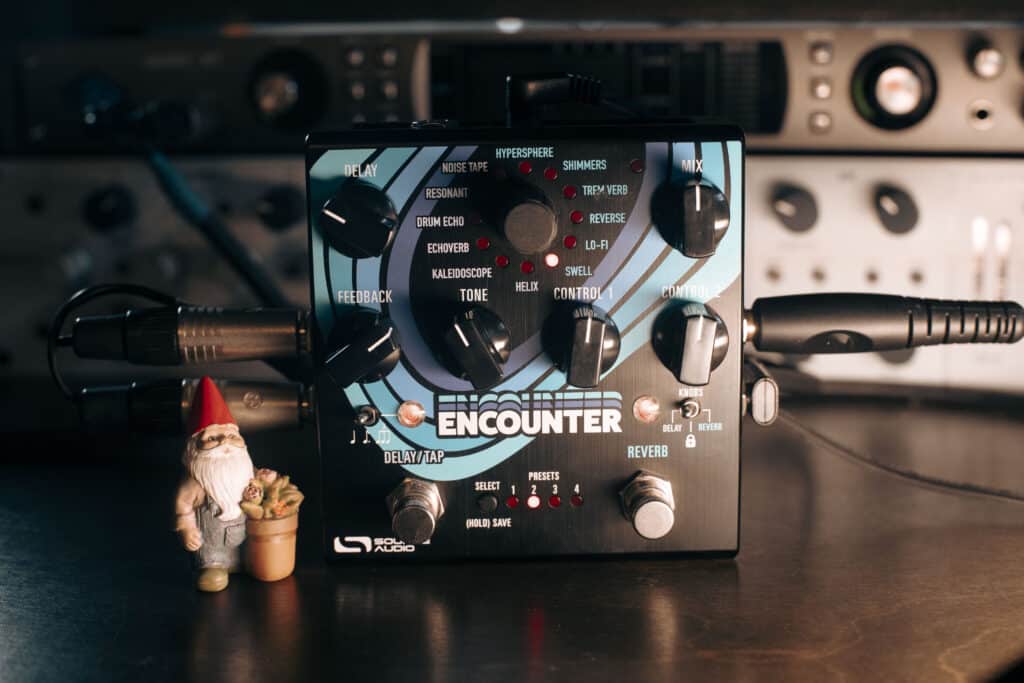
The Source Audio Encounter, which combines reverb and delay engines to create other wordly spaces and textures, one of my favorite tools for re-amping.
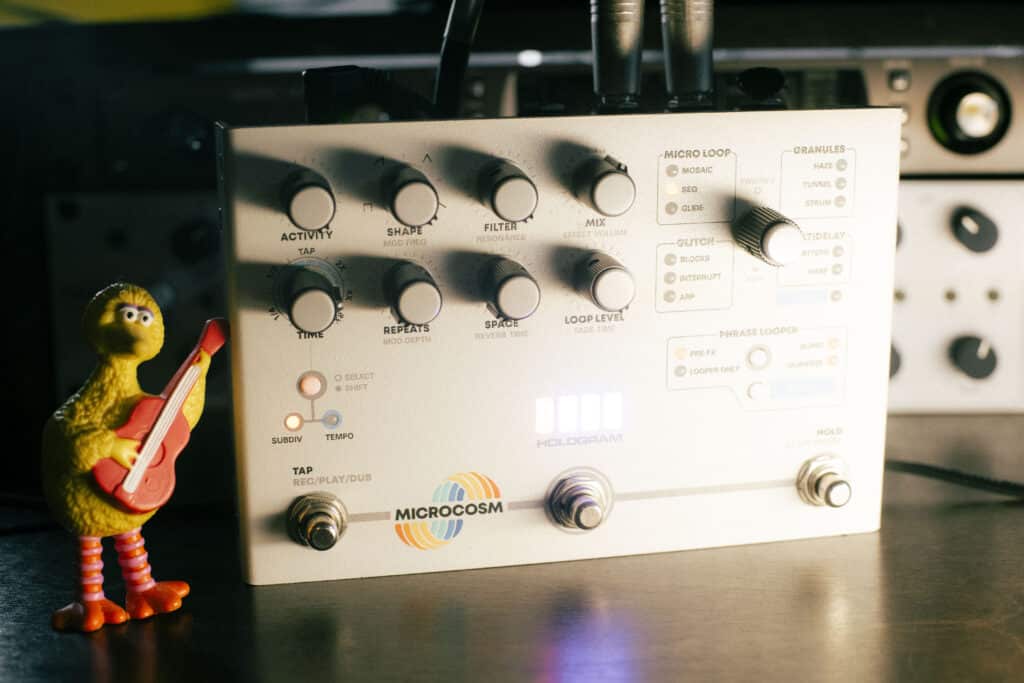
The Hologram Electronics Microcosm, which contains a sequencer, delay, bit-crushing, a gorgeous reverb, and so much more. I use it for dramatically transforming sounds during re-amplification.
FRANKLIN AUDIO RA-20 SUMMARY
The Franklin Audio RA-20 solves a problem I’d quietly lived with for years. My mono re-amp box was never bad — but it was always a bottleneck for the stereo sources that make up so much of my work. The RA-20 removes that ceiling completely, and it does so with the kind of thoughtful, no-nonsense design that makes it a joy to actually use: transformer-balanced quality, a genuinely useful variable impedance control, four routing modes that cover every scenario I can dream up, passive simplicity, and a compact footprint that earns its permanent spot on the desk. Whether I’m properly re-amping through amps or just using it as a pristine bridge into my stereo pedals, it delivers every time.
If you’ve ever wished you could take your stereo drums, keys, vocals, or full mixes out into the analog world without collapsing them to mono, the RA-20 is, without exaggeration, the exact re-amp box you’re searching for. This thing is SO MUCH FUN and I enthusiastically recommend it.
ABOUT THE AUTHOR
Ian Vargo is a Music Producer, Mix & Mastering Engineer, and Multi-Instrumentalist whose work has been heard on broadcast television, nationally televised ad campaigns, award-winning films, and viral web content amassing over 30 million views. His credits include projects for Disney | ABC, Intel, MSNBC, Airbnb, EA Games, and many more.
With over 20 years of experience in the studio, Ian has contributed to major label releases (Capitol, EMI, Fueled by Ramen, Universal, Interscope, Hollywood Records) as well as acclaimed independent projects. His passion lies in helping artists translate their creative vision into professional, release-ready recordings that stand out in today’s music landscape.
Interested in working together? Reach out at ianvargo@gmail.com if you need mixing or mastering for your next project.