Nirvana, a Max for Live device by developer Dillon Bastan, is a stunning achievement in several ways. The basic concept – wrangling audio feedback into a controllable, playable musical instrument – is iconoclastic enough. But the sheer depth with which Dillon has pursued this core concept, and the vast array of parameters he’s made available to work with, is extraordinary in its scope.
“Feedback” has a long and established pedigree in audio and music technology. Anyone who’s ever used a delay effect has dealt with it: the feedback control (sometimes referred to as “repeats,” “aging,” or other aliases) determines how many repetitions of the incoming sound you get.
But audio feedback goes far beyond the realm of echos and delays. Just a few examples:
Guitarists have been surfing waves of amplifier feedback for over half a century.
The entire genre of “no-input mixer” music uses feedback loops as its basic vocabulary.
To learn more about No-Input Mixing, check out the article on Waveinformer: The Strange World of No-Input Mixing
Synthesists have been hacking feedback into their signal flows at least as far back as the Minimoog.
“For those lucky enough to still have a Minimoog, here’s a little trick suggested by Bob Moog himself! Take an audio cable and route it from the Minimoog Model D’s low output jack to the external input. Turn on the external input switch in the Moog’s Mixer section and set the external volume control to the point where the overload light just blinks intermittently. The net result is a much fatter overall sound, perfect for a screaming lead tone or a monster bass line!” (source)
Seminal electronic composer Eliane Radigue explored it deeply enough to produce a dedicated feedback-focused anthology. Listen to her work here.
Lou Reed‘s infamous Metal Machine Music used various types of feedback as primary ingredients.
And the list goes on.
Nirvana approaches the concept of feedback using three different “source modes.” Each mode is a self-contained virtual environment, designed to create and harness audio feedback in various ways. Across each of these modes, there are three main roles Nirvana can take on:
- A self-contained sound/drone generator that creates audio internally, independently of outside sources.
- A MIDI-capable version that allows the feedback pitch to be played melodically and harmonically with incoming note data.
- An audio effect that takes external sound sources and processes them within the feedback ecosystem.
Nirvana’s included presets are divided into these three categories. We’ll be leaning on the factory presets throughout this article, as they’re tailor-made to demonstrate the plugin’s different aspects.
A couple of notes before we begin:
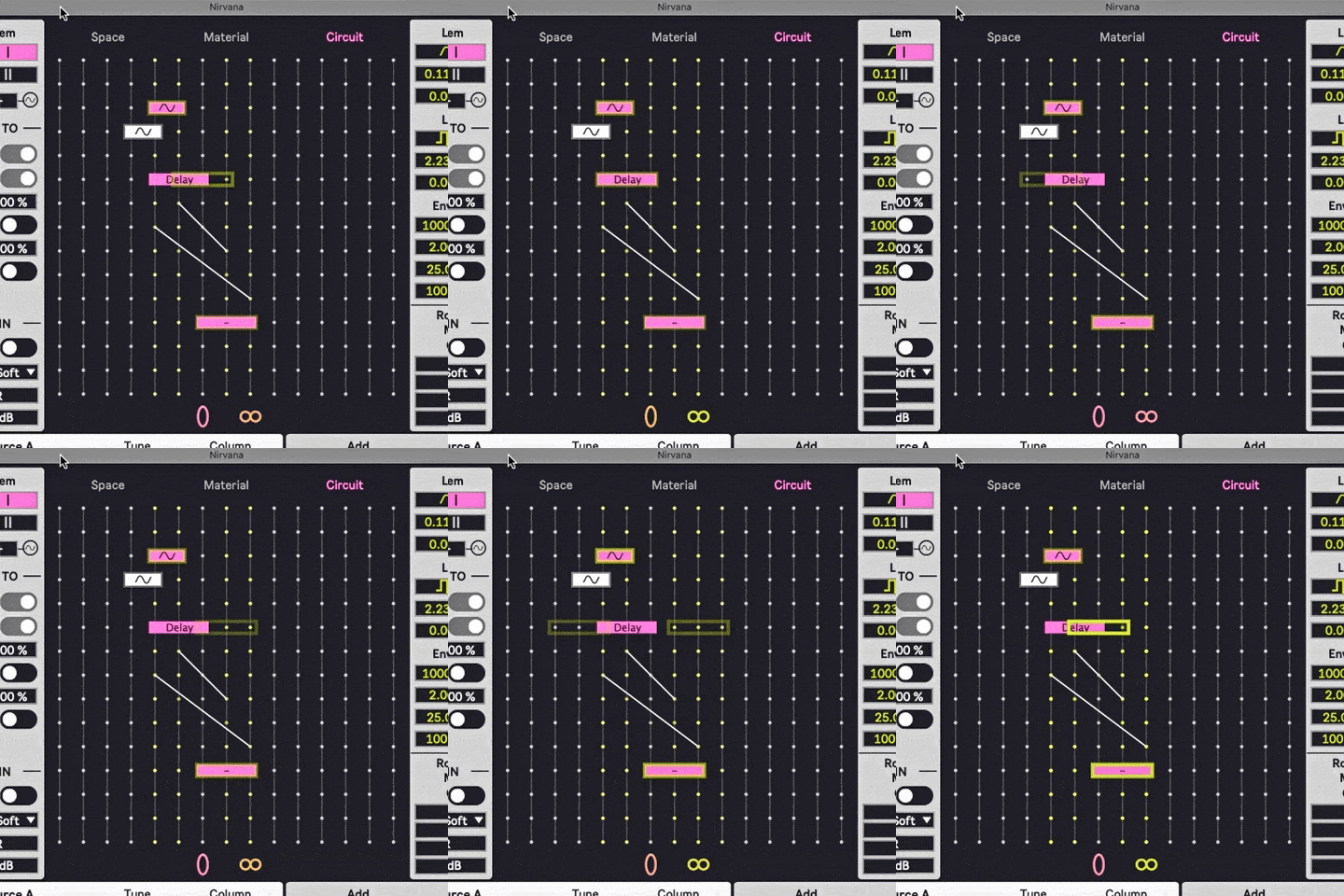
First, creating movement among the different elements in each source mode is a huge part of unlocking Nirvana’s potential. This article uses animated gifs to demonstrate some of these modulation possibilities and their impact on the sound.
Secondly, true to its real-world heritage, this device can be VERY unpredictable in terms of sudden changes in volume and frequency content. Things can go from quiet and subdued to loud and piercing instantly, depending on how different modules interact. For the sake of demonstrating the raw sound of Nirvana, I’ve only applied some buss limiting to the audio examples in order to even out the volume level. Even with that, the sound can be very broad and harsh at times, so listening at lower levels is a good idea.
THE “SPACE” SOURCE MODE
Let’s start with the default source mode: Space. It’s Nirvana’s flagship mode, and possibly the most audacious: it creates feedback by waving virtual microphones in front of virtual speakers.
Yes, this is the kind of thing most gigging musicians have experienced by accident… and which tends to cause players and listeners alike to recoil in terror. But there’s precedent for mic feedback as a deliberate musical tool, going back at least as far as Steve Reich’s Pendulum Music:
When you open a new instance of Nirvana, here’s what you’re greeted with.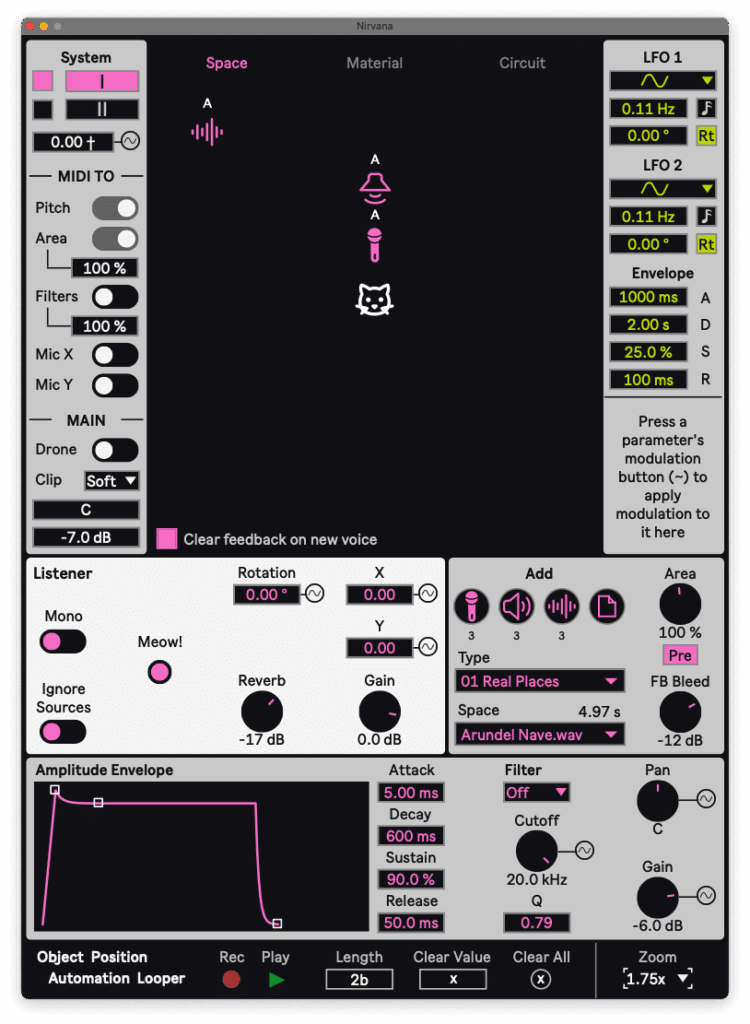
The Space source mode creates a virtual room, within which feedback is generated by one or more microphones coming into proximity with one or more speakers. The virtual room can be selected from a wide range of convolution reverbs, and there’s a similarly large selection of microphone and speaker impulse responses to choose from. All of these factors combine to create variations in the feedback produced.
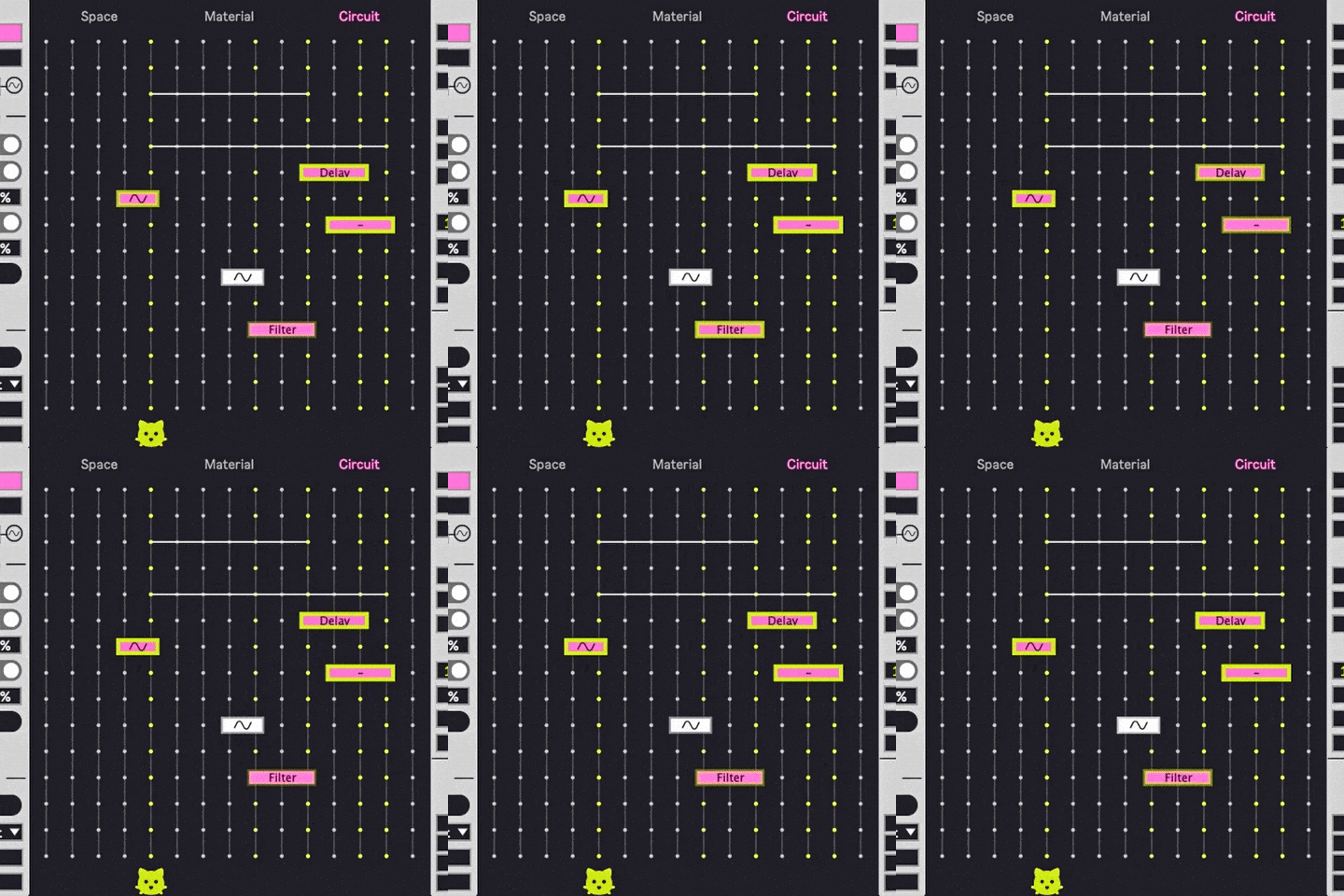
There are four main “modules,” or component parts, in this mode: a speaker, a microphone, an “audio source,” and a listener’s ears, represented by a cat’s head. (You can have up to four of each type of sound-generation module happening at once, but you only get one set of ears at a time.) All of these elements can be moved to different points in the virtual room, and their placements can be modulated using onboard LFOs and an envelope.
The audio source modules are used to “trigger” the feedback – the idea being that feedback won’t occur unless there’s some preliminary audio signal that enters the microphone in the first place. A variety of audio sources can be chosen, including noise, oscillators, samples, and external audio. (More on that last one later.)
To generate sound, we need to move the microphone towards the speaker to create feedback. We’re going to start our examples with patches from the “drones” preset category. In this realm, Nirvana produces its pitches internally, based strictly on the interactions of elements in its virtual environment, and ignores outside MIDI or audio.
Let’s check out the “Alternating” preset.
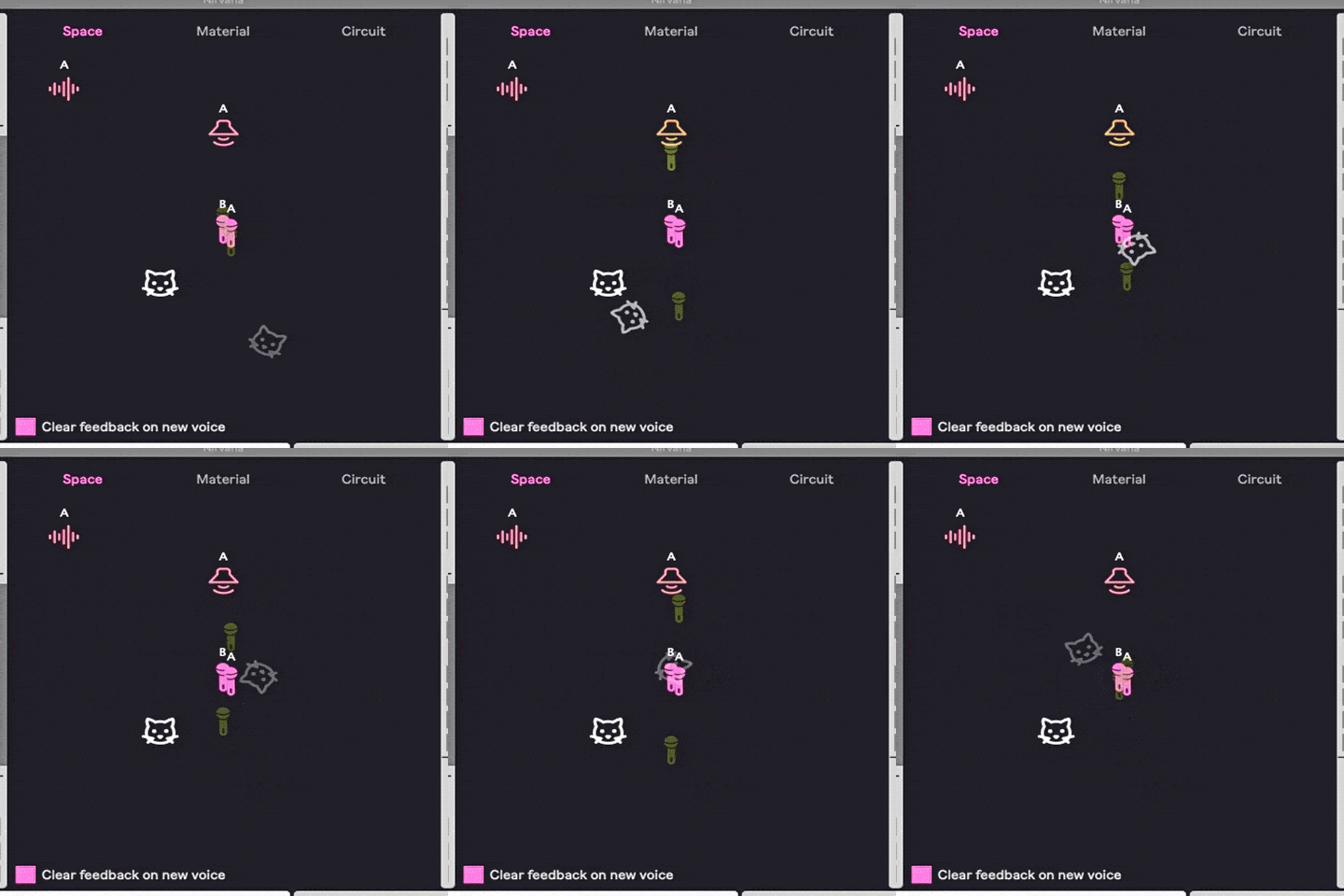
We have two different microphones alternately moving between moving closer to, and further away from, a speaker. The closer the mics get to the speaker, the more likely feedback is to occur. As feedback begins, the graphics for the mics and speaker begin to fluctuate. (Generally speaking, more fluctuation and brighter colors = more intense feedback.)
As the cat’s head wanders around the space, the placement of the speaker in relation to the listener’s ears changes. So moving the cat creates stereo motion in the sound.
Chamber of Feedback
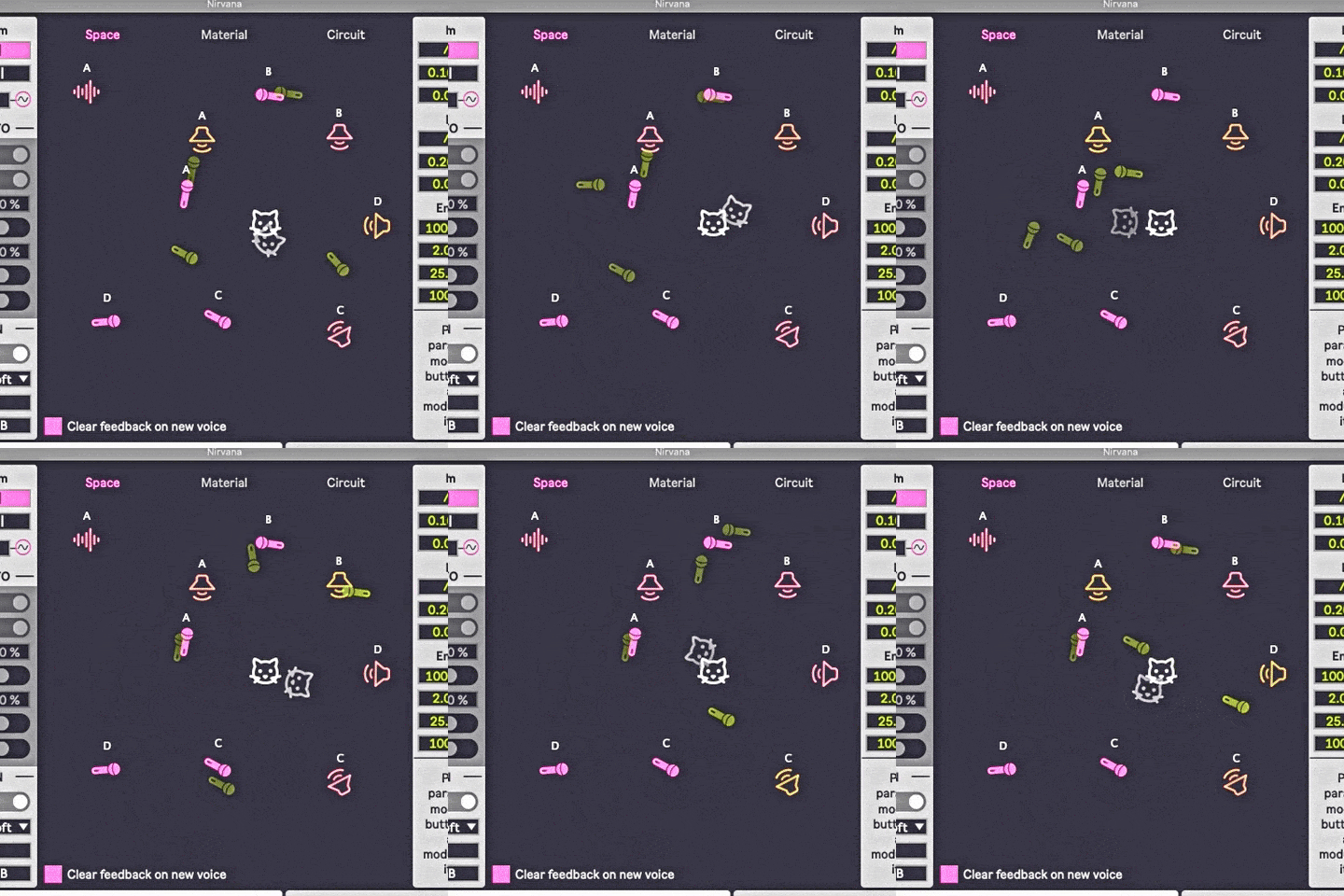
This preset involves four speakers, around which four different microphones ebb and flow. Here again, the moving cat’s head creates shifting stereo imaging.
Chamber of Kalimba
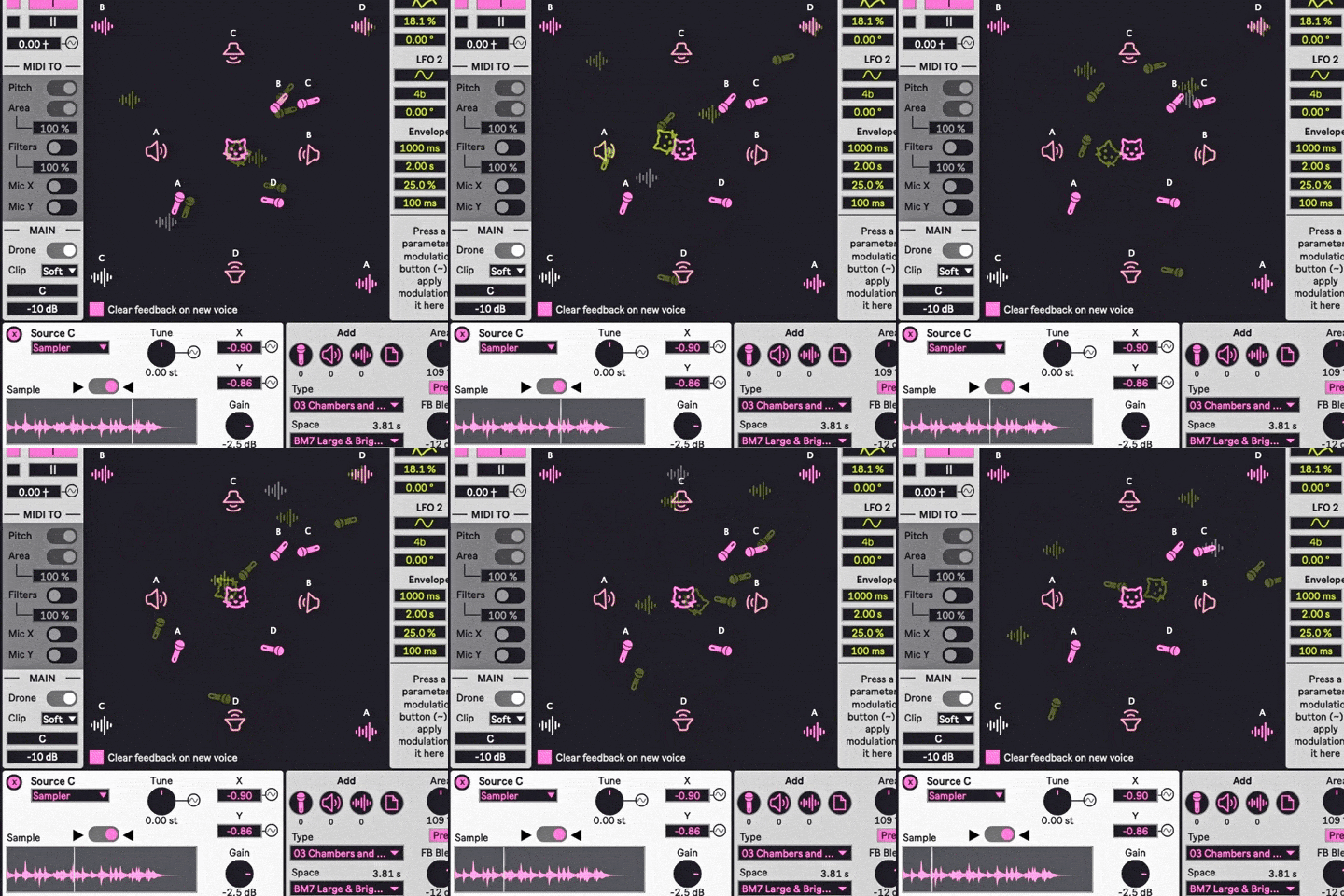
Although similar to the previous patch, this one has a crucial difference: instead of using noise (as in the first two examples), the audio sources here are samples of a kalimba. So we have four different kalimbas acting as “launching pads” for feedback, which is produced by the interaction between four different mics and speakers. The speakers remain stationary, but every other module in this patch is moving around the room – including the listener’s head.
CHROMATIC CHAOS CONTROL
By enabling MIDI control, the feedback can be played melodically. Before we do that, though, here’s a listen to the Live clip being used for the MIDI examples that follow.
It’s deliberately a very simple clip, with just two notes being played, and the venerable Operator FM synth serving as the sound generator here. There’s an overlap between the two notes in the middle, as well as an isolated version of the two notes at the beginning and end of the clip.
Now, let’s send that clip into a preset with the Space source mode set to receive MIDI note data.
Big Pad
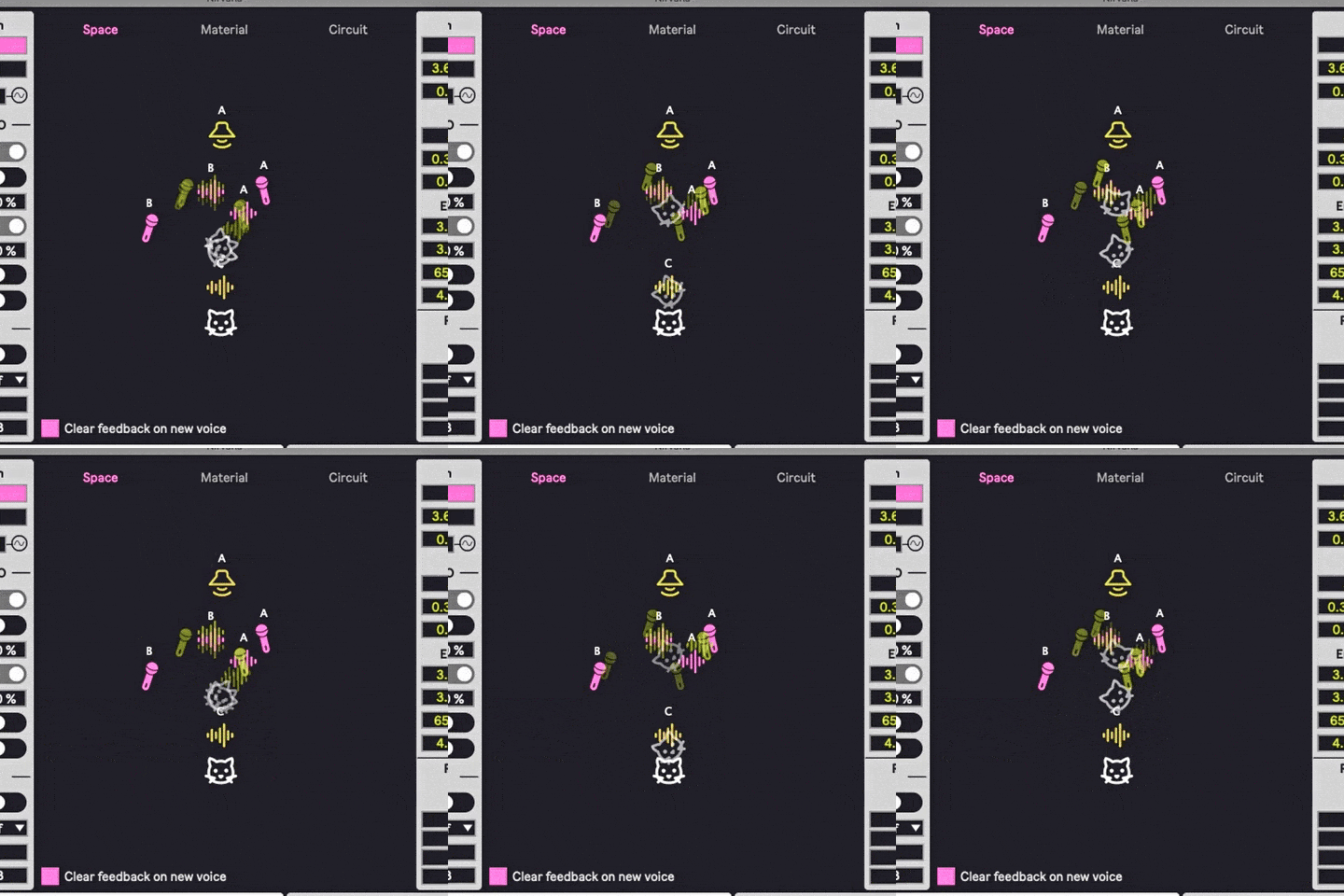
We’re still dealing with shuddering, undulating waves of feedback, but now they have specific pitches, corresponding to the MIDI notes being sent. Microphone feedback as a playable, 12TET melodic instrument is a pretty radical concept, but Nirvana delivers it with a wealth of options for customizing and fine-tuning the sound.
For now, we’re going to skip the Material source mode and check out the one right after it.
THE “CIRCUIT” SOURCE MODE
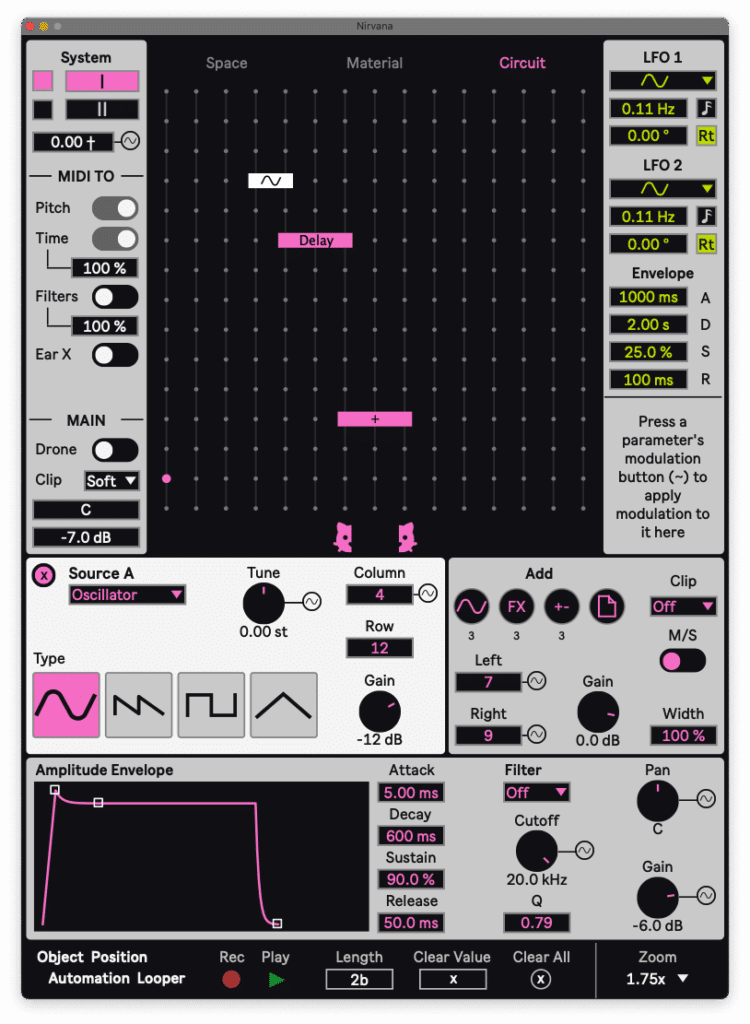
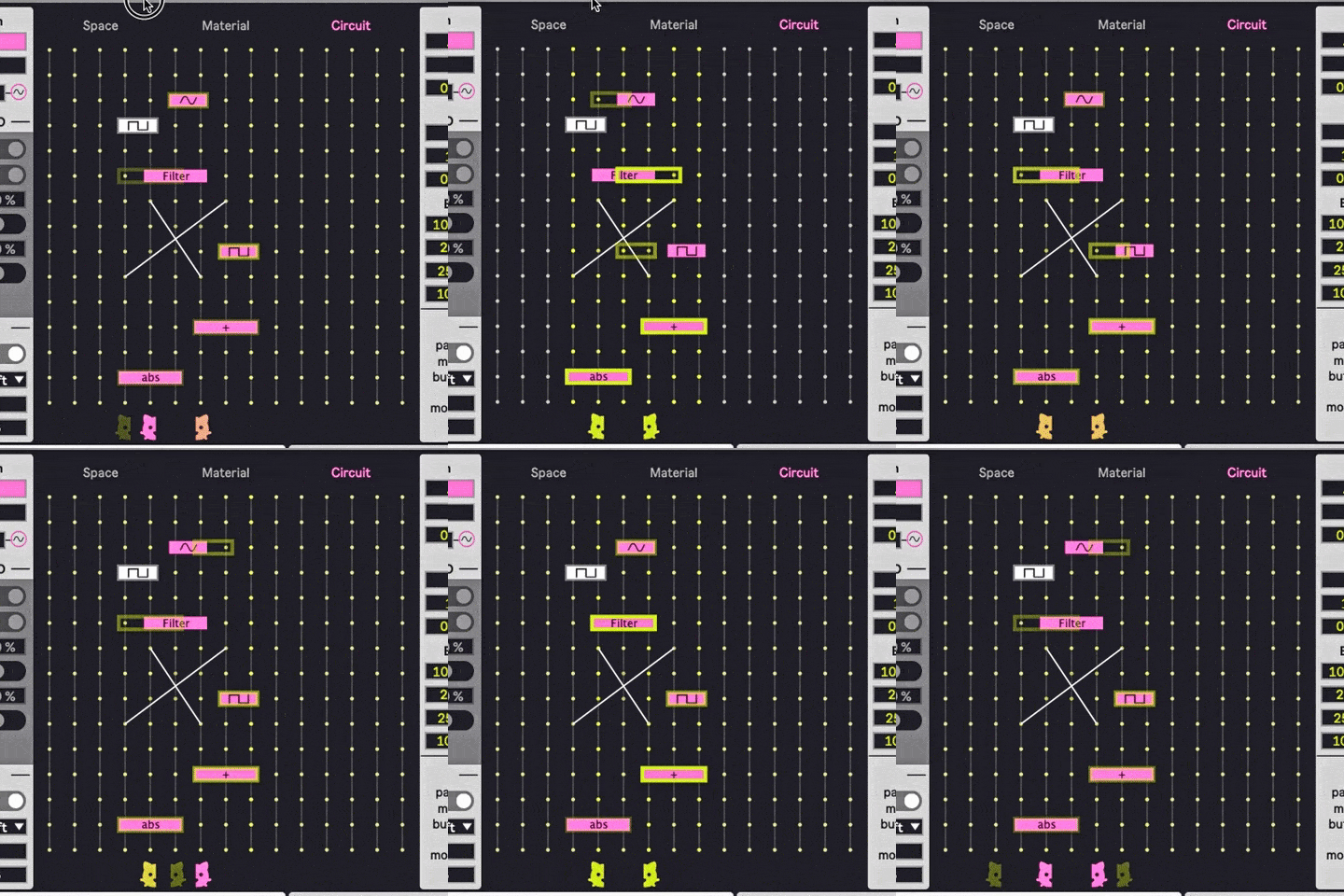
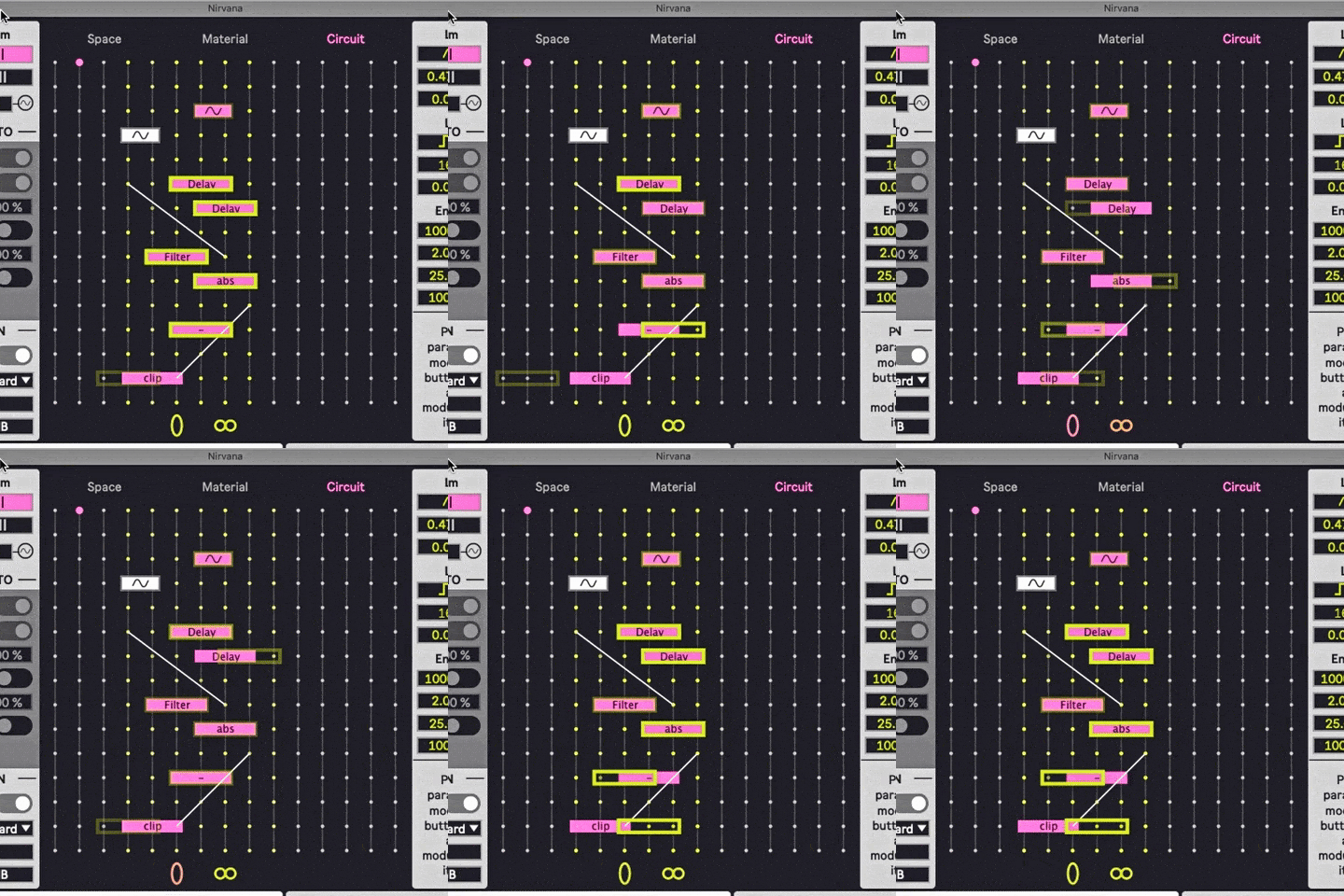
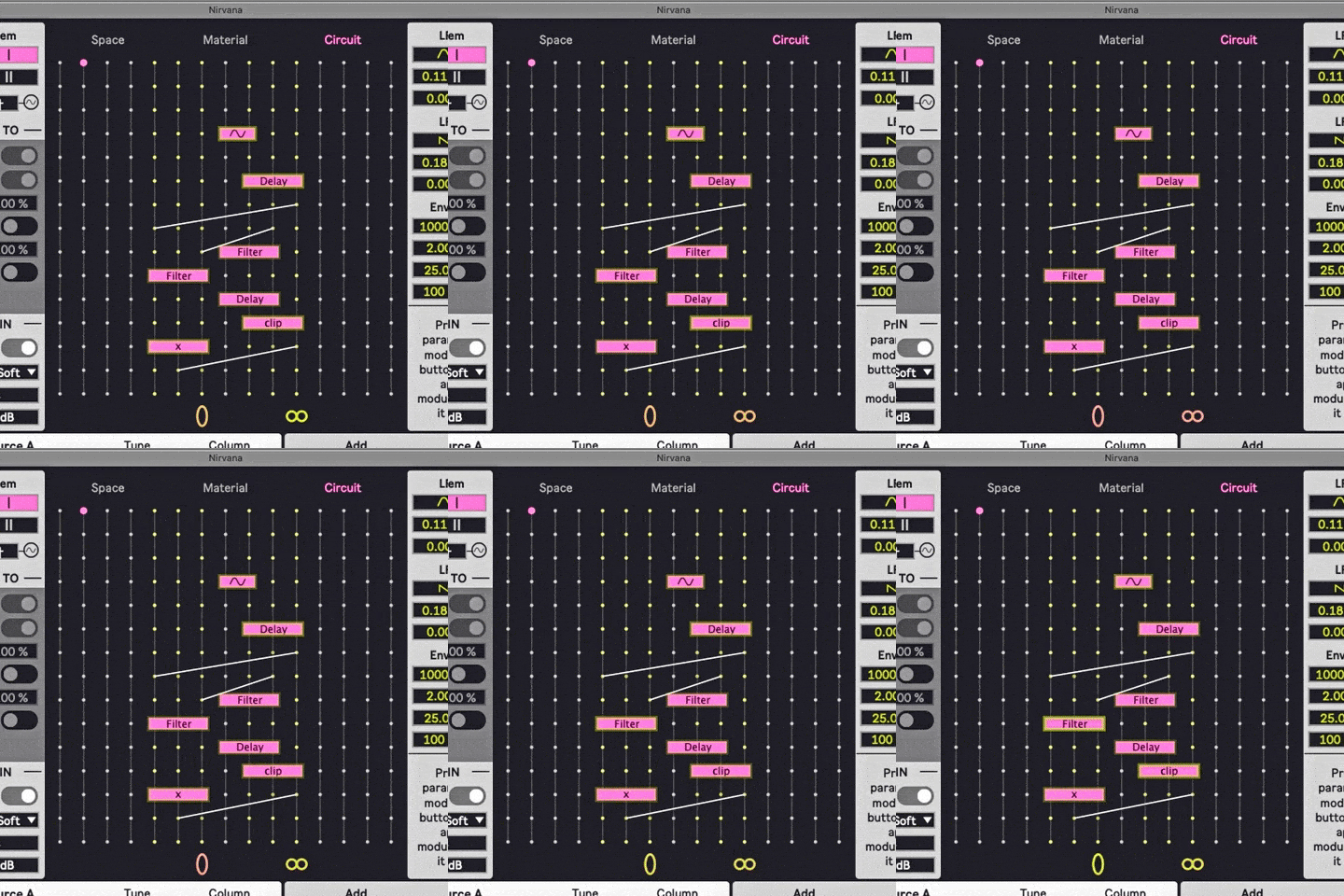
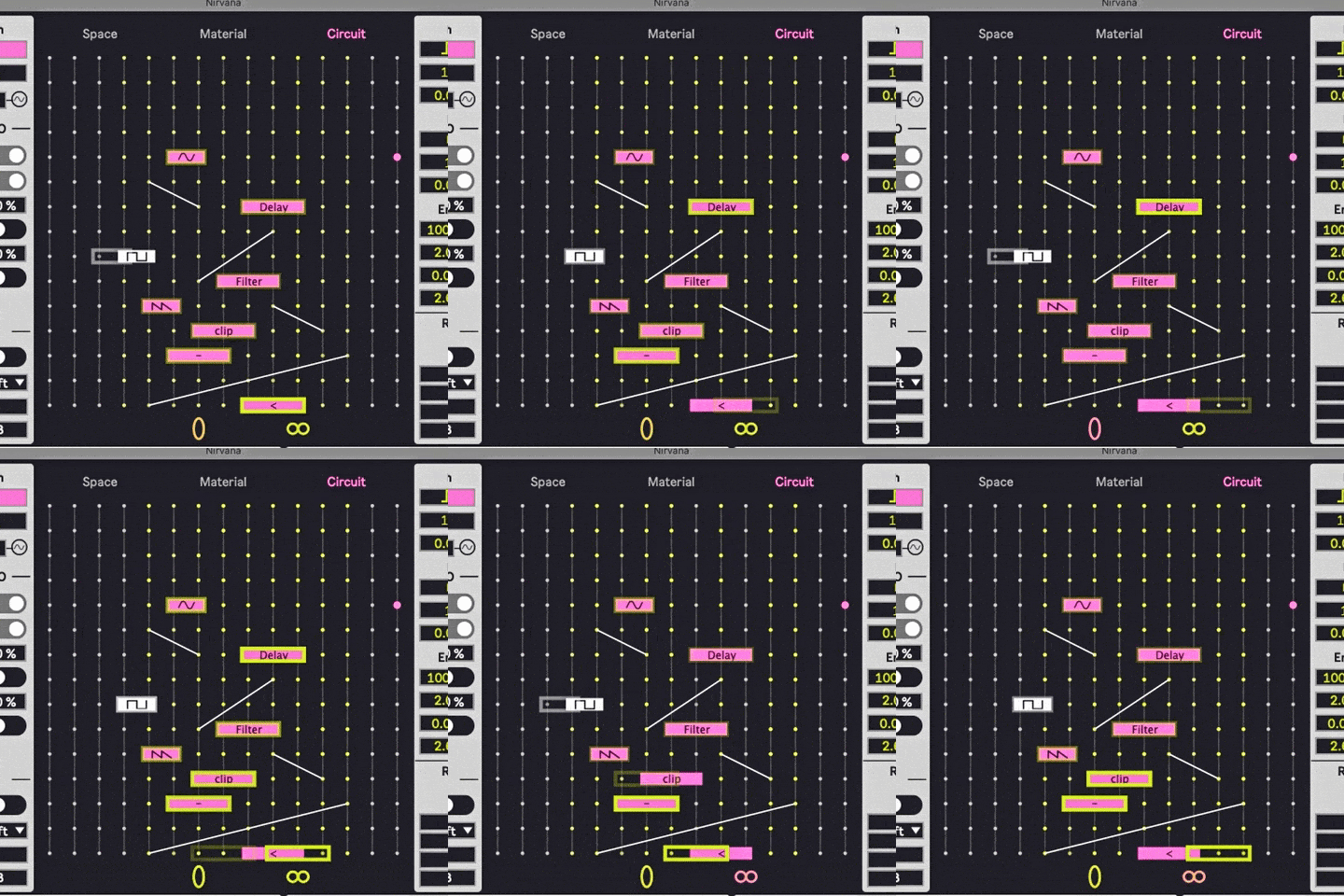
To quote the Nirvana manual, this source mode “simulates a breadboard for creating circuits on. It has a 2D grid of points; each of those points is like a lead for an audio signal.” Here, the modules include audio sources, math operators, and effects, which can be combined in a wide range of configurations, including virtual circuit bending. (If you’re like me and know nothing about this kind of thing, then the included presets are enormously helpful.)
BREAD(BOARDS) AND CIRCUITS
The first four examples are from the “drone” preset category, so the pitches are internally created, and don’t respond to MIDI. Be careful of your listening volume, because these sounds can get pretty unhinged.
Bent Bass Line
Busted Ass Circuit
Digital Fly
CIRCUITOUS MIDI
Now, let’s enable MIDI control and hear the Circuit mode in a playable, melodic context, using the same MIDI clip as in the Space examples.
Old Driven Synth
Cute Buzzer
Pretty and Broken
As you can hear, the Circuit source mode has a much more direct, in-your-face sound than the Space mode. Whereas Space deals with acoustical properties of different physical spaces, Circuit is focused strictly on electronic signal flow, and doesn’t involve any acoustical elements. For me, the biggest notable difference is the astonishingly wide frequency range that Circuit’s sounds can occupy, including some of the most strident high-frequency content I’ve ever heard from a plugin.
As an aside: I haven’t done a serious comparison, but it “feels” like the majority of Nirvana’s included presets are from the Circuit mode, which leads me to think that it’s probably the one nearest and dearest to the developer’s heart. Not a criticism at all – just an observation.
THE “MATERIAL” SOURCE MODE
Now let’s circle back and explore Material, and look at why I saved this one for last.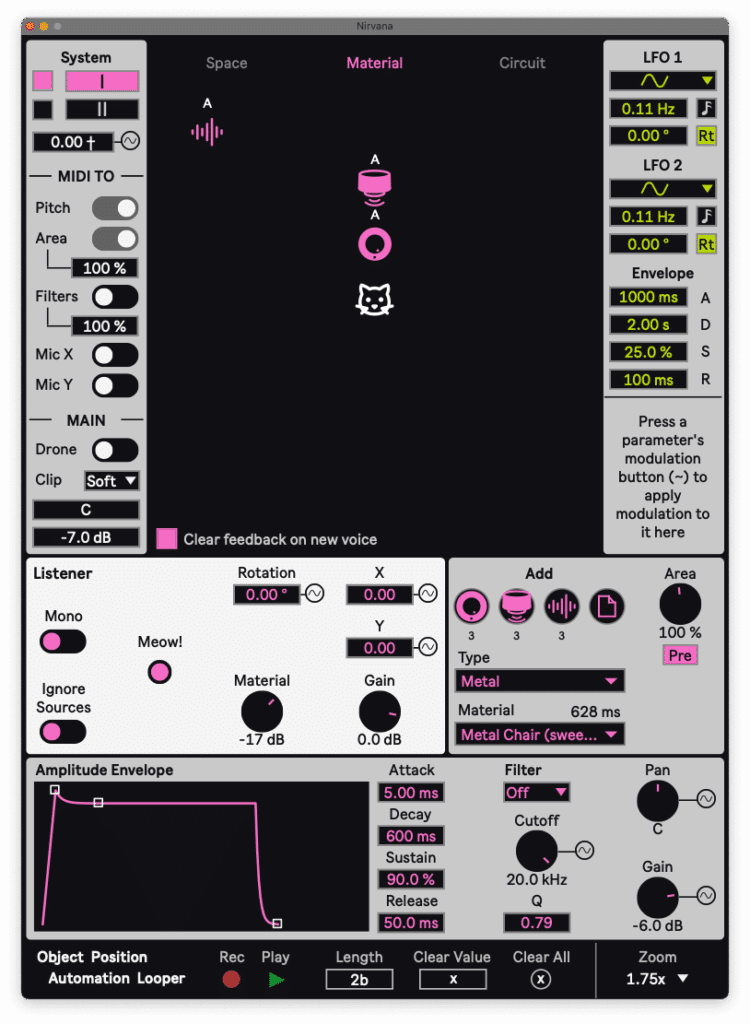
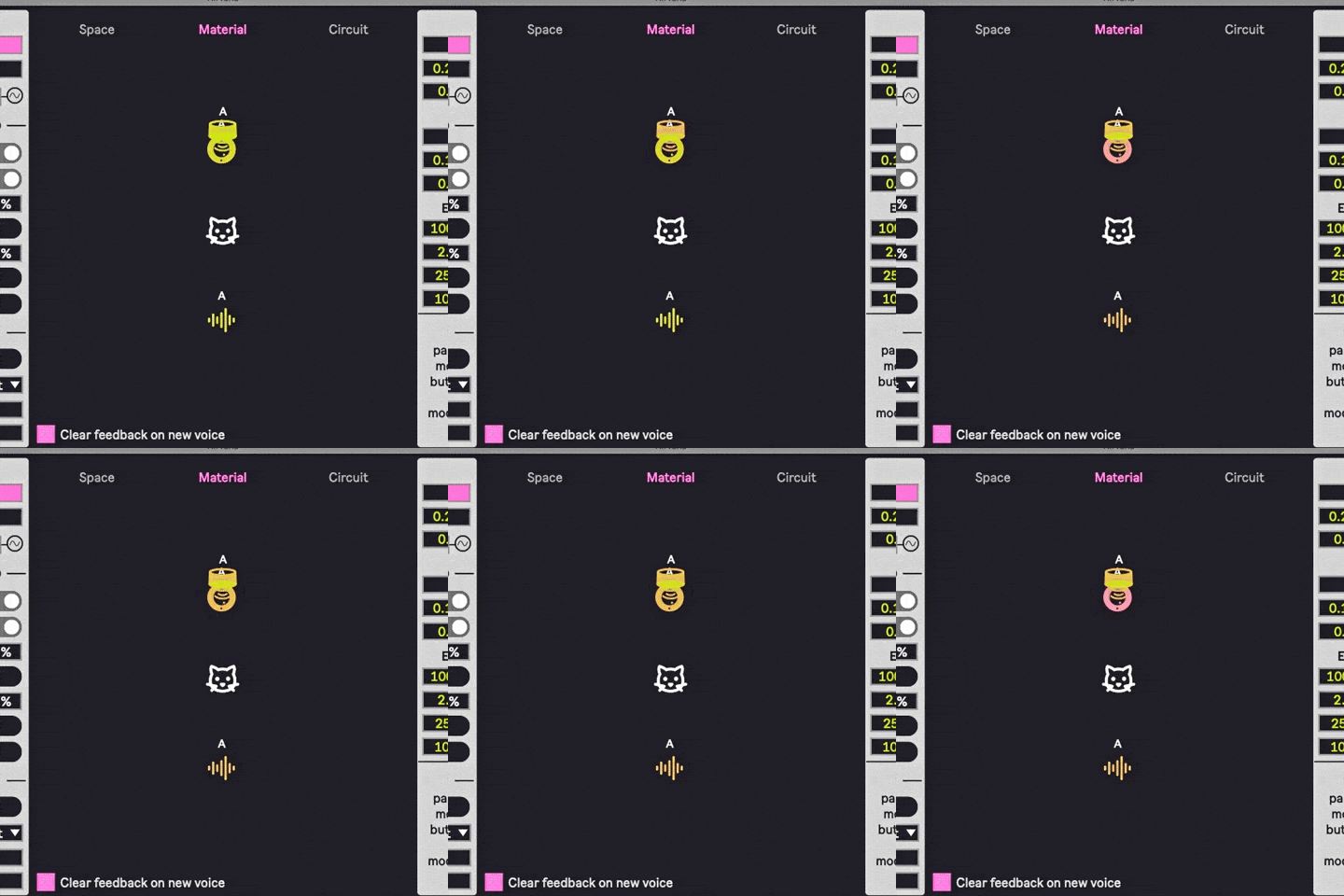
Material is similar to Space, in the sense that you’re dealing with microphones and speakers. But instead of using impulse responses of rooms as feedback environments, this mode uses virtual 2D planes of different types (literally, “materials,”) with virtual contact mics and surface transducers producing the feedback interaction.
MATERIAL ISSUES
To me, Material is by far the most enigmatic of the three source modes. For one thing, the basic premise is quite unusual. Most of us know what mic feedback sounds like, and we’ve probably run across some noisy, abrasive patches in synths. But the interaction of a contact mic and a transducer when they’re attached to a metal chair or a plastic recycling bin? That’s pretty rarefied territory.
Beyond that, in practical terms, I found it more challenging to coax “usable” sounds from Material than in the Space or Circuit modes. (It should go without saying that “usable sound,” in this kind of context, is going to be incredibly subjective.) Maybe not coincidentally, Material also seems to be the least represented of the three source modes in the presets. Hence my saving it for last in the analysis of the three source modes.
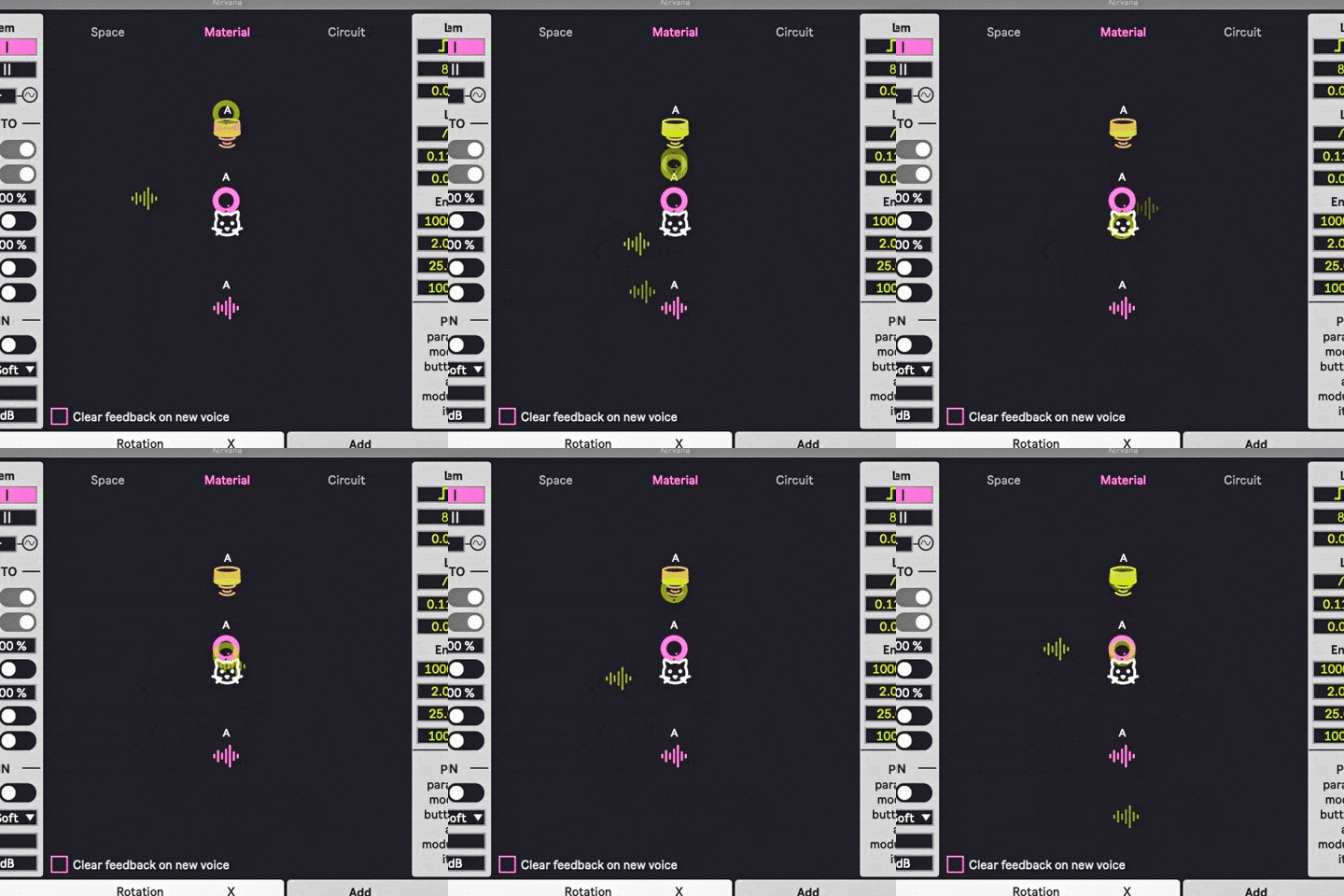
But diligent work with subtle adjustments of object placement, gain staging, and module interactions ultimately led to a MIDI-responsive patch that I found deeply inspiring. I’ve included audio examples of several different permutations of that patch, as well as a few images to demonstrate different degrees of modulation complexity. We’re using the same MIDI clip as in the first two sections. These examples gradually build in intensity, so again: watch your volume levels.

NIRVANA AS AN AUDIO EFFECT
Finally, let’s look at using Nirvana as an effects processor. In all three source modes, an external audio signal can be used as the audio module that drives the feedback.
To start with, here’s a simple guitar loop, recorded straight from the instrument’s output jack to the audio interface input, with no signal processing or amp’ing applied.
Now, here’s that same guitar run through a variety of different presets that use Nirvana as an effect processor for external audio.
IN CLOSING (THE FEEDBACK LOOP)
Within each of its three source modes, Nirvana contains a huge range of adjustable parameters. We’ve covered some of them, but many options haven’t been touched on at all. Trying to do justice to these possibilities is far beyond the scope of this article, but there’s a wealth of video content by the developer himself, going into great detail about the subtleties available here.
One of the great joys of programming environments like Reaktor, Max/MSP, and Max for Live is the wealth of bizarre instruments and effects that flourish there. Even within that context, Nirvana is a rare achievement. I’m hard-pressed to think of a piece of audio software that combines an esoteric core concept with this degree of depth and flexibility. If musically controllable audio feedback is an inspiring idea, Nirvana is very much true to its name. And even if you’re not so inclined, it’s worth perusing some of Dillon’s tutorial videos to marvel at how intensively he’s explored such rarified territory.
ABOUT THE AUTHOR
Andre LaFosse is a music teacher and transcriber, guitar owner, producer/engineer, composer/improviser, devil’s advocate of live looping, synthesizer dilettante, and general tortured artist. He is equally at home and/or out of place in the worlds of instrumental performance and electronic programming. His music-making explores various ways of reconciling, uniting, contrasting, and/or fighting those two facets of sound creation. A graduate of California Institute of the Arts, Andre’s work has been covered in publications and outlets including Guitar Player, Electronic Musician, Tape Op, Time Out New York, WNYC Radio’s New Sounds, Alternative Press, Make Weird Music, and many others. His recorded body of work is currently available through 7D Media. Check out his YouTube Channel for reviews and product demos.
EXTRAS
Want to win a free license to Kontakt 8? Be one of the first 1000 people to FOLLOW WAVEINFORMER ON INSTAGRAM to be automatically entered to win one of three full-version Kontakt 8 licenses! Read more.
Assess your knowledge of essential audio concepts using our growing catalog of online Quizzes.
Explore more content available to Subscribers, Academic, and Pro Members on the Member Resources page.
Not a Member yet? Check the Member Benefits page for details. There are FREE, paid, and educational options.