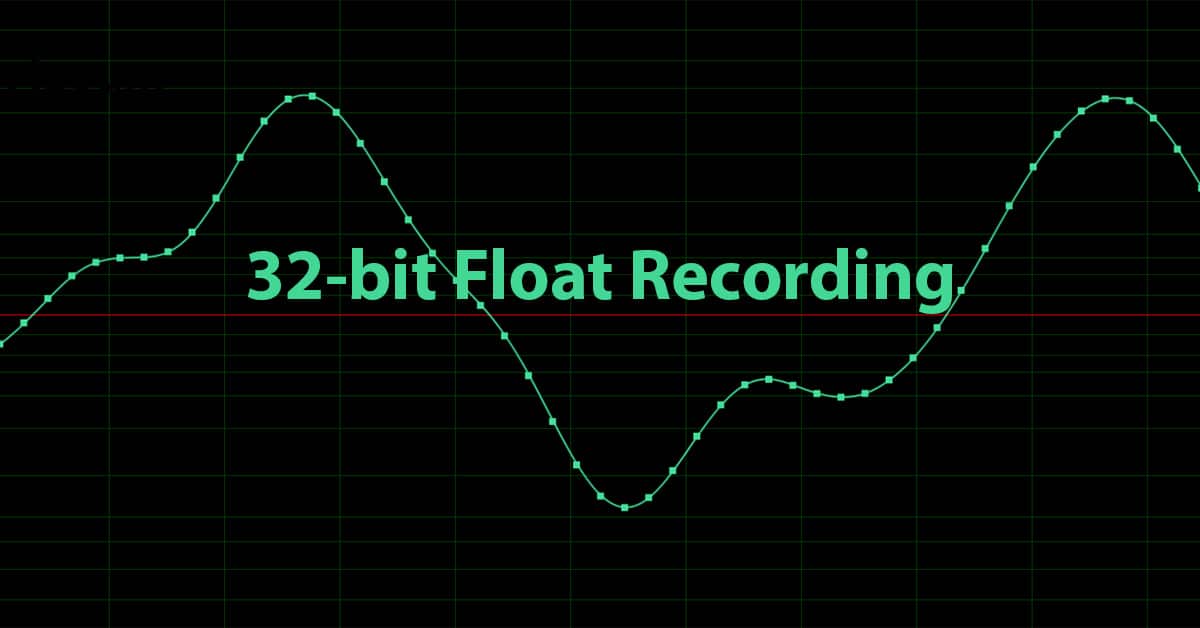
The difference between 24-bit and 32-bit float recording relates to dynamic range. While in many instances 24-bit is perfectly fine, there are some cases when you would want to use 32-bit floating point. Read on for a geeky explanation, or skip down to see and hear the differences.
WHAT IS BIT RESOLUTION?
In digital audio, the most typical bit resolutions you will find are 16-bit, 24-bit, and 32-bit float. Where the sampling rate defines how many times per second a signal is measured, the bit resolution determines how accurate those measurements are. Less accurate measurements result in higher quantization errors, which translate to a higher noise floor and a narrower dynamic range.
Consider having two rulers where one has indication marks as small as a 1/8” while the other goes down to 1/16”, as in the image below.

If what you are measuring falls right on a 1/8 mark, there is no difference in using either side of the ruler. But if the measure falls on a 1/16 mark and you try to use the 1/8 side of the ruler, you will have to round the result to the nearest 1/8 hash mark. A similar thing happens in the digital sampling process. This rounding of measurements results in the introduction of noise not present in the analog signal.
Using a higher bit resolution is like using a ruler with more hash marks. The number of bits used to take a measurement in a binary system (where values are either 0 or 1) determines the number of possible values. This can be calculated by raising the number 2 to the power of the number of bits used. For example:
- 16 bit resolution = 2^16 = 65,536 possible values
- 24 bit resolution = 2^24 = 16,777,216 possible values
- 32 bit (integer) resolution = 2^32 = 4,294,967,296 possible values
What is not mentioned above is 32-bit floating point resolution. This measurement takes into account positive and negative values and is configured like this: 1 bit for the sign (positive or negative) , 8 bits for the exponent , and 23 bits for the “mantissa,” which are the significant digits in the number.
This results in the highest possible value of around [3.4 x 10^38] (for those not familiar with scientific notation, the exponent of 10 relates to the number zeroes. Suffice it to say it is a huge number!
The chart below describes how this all translates into dynamic range using the general formula:
Dynamic Range (dB) = (6.02 * Bit Resolution) + 1.76
NOTE: More accurate formulas include a correction factor of 1.76 added to the result, but we’ll keep it simple here. Below are the dynamic range value associated with various bit resolutions:
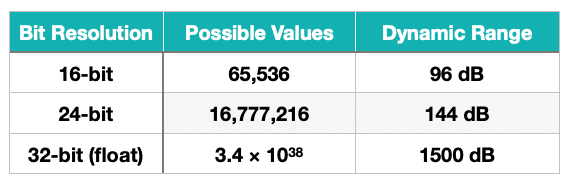
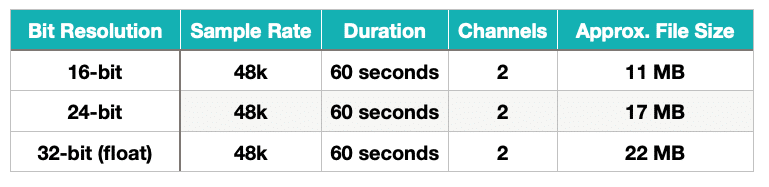
In practice, the usable dynamic range of digital systems is a function of the hardware used and the limits of human hearing. 120dB of dynamic range is more than adequate in most listening scenarios. The downside of using higher bit resolutions is the higher storage and CPU requirements. For example, see the chart below comparing file size for 60 seconds of 16-bit, 24-bit, and 32-bit floating point audio using the same sampling rate.
INFINITE HEADROOM – EXAMPLES
So what is the real, and perhaps only reason to record at 32-bit float? The answer is headroom. It is practically impossible to digitally clip a 32-bit floating-point file beyond recovery. This is of great concern for field recordists or any engineer or producer recording sounds in the field (or studio) where levels might be unpredictable.
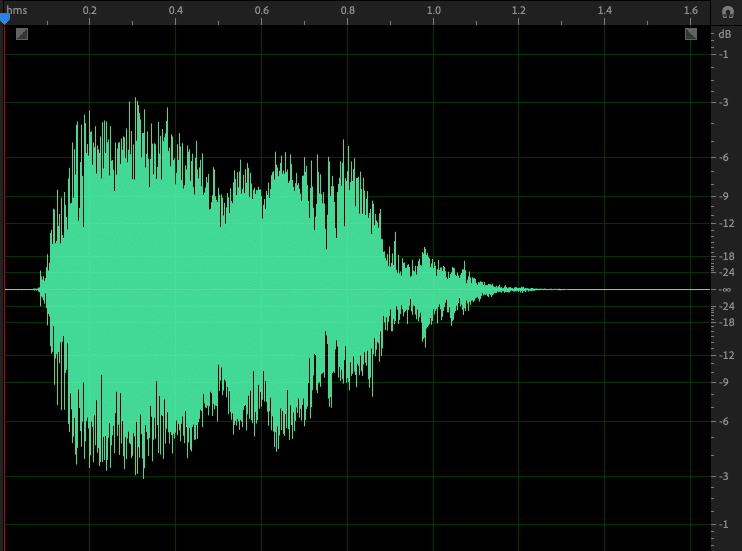
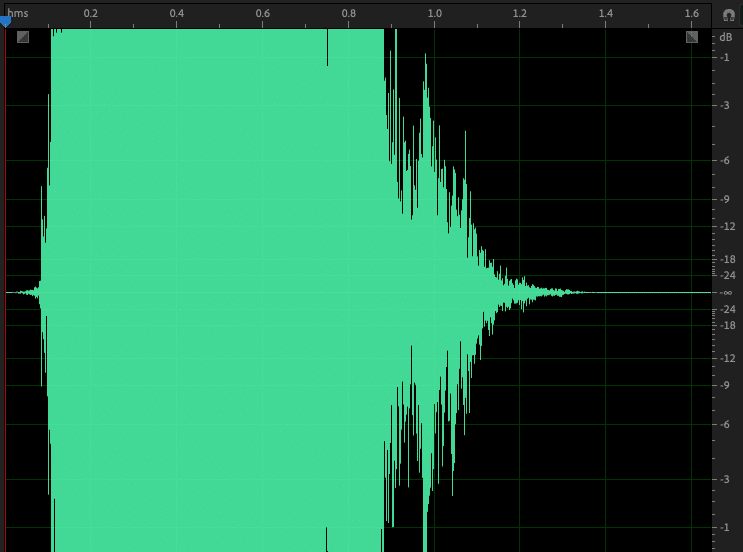
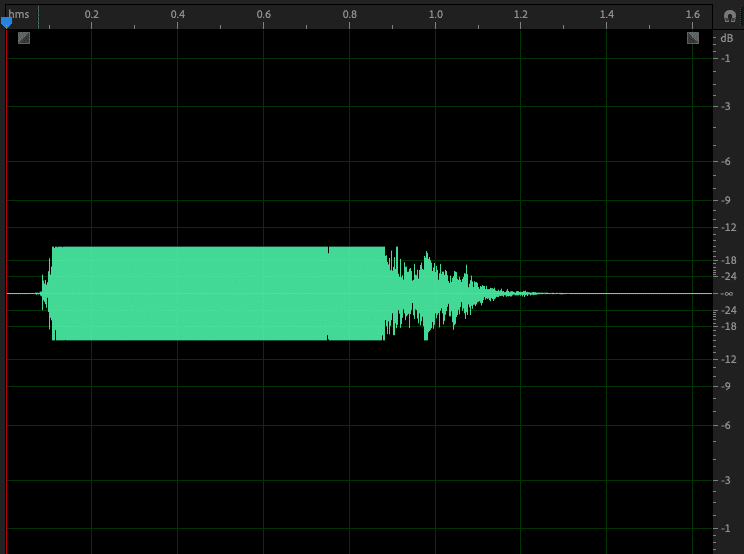
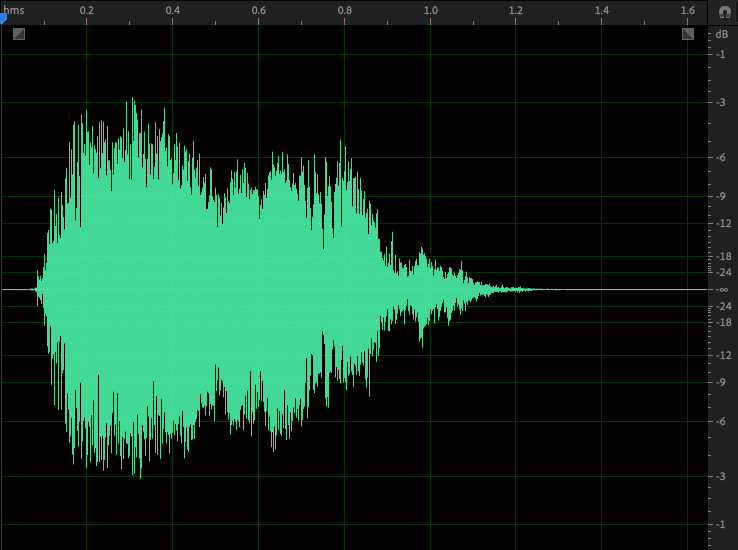
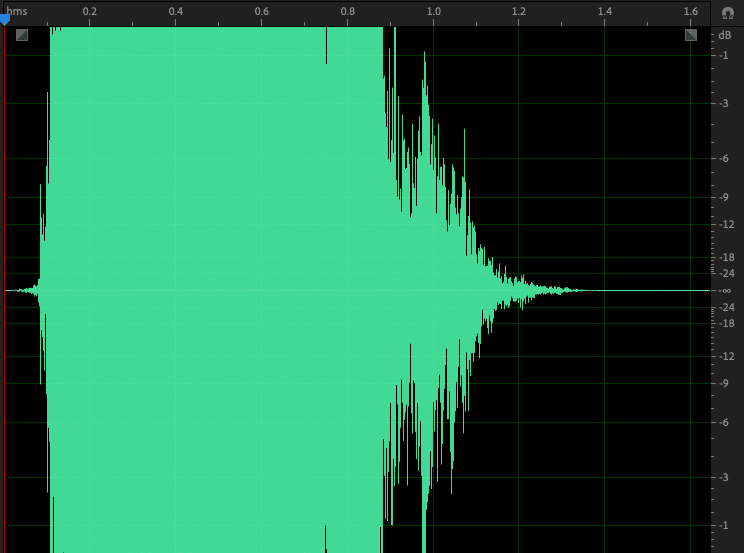
In the following examples, the famous Wilhelm scream is intentionally overdriven by +15dB and exported in 24-bit and 32-bit (float) versions. Then the gain was decreased by -15dB in an attempt to restore the original file.
Sound File Attribution from Freesound.org: S38-01 Man eaten by alligator; screams [Wilhelm screams].wav by craigsmith
Original 24-bit
Overdriven 32-bit (+15dB)
Restored 24-bit (-15db)
Original 32-bit float
Overdriven 32-bit float (+15dB)
Restored 32-bit float (-15dB)
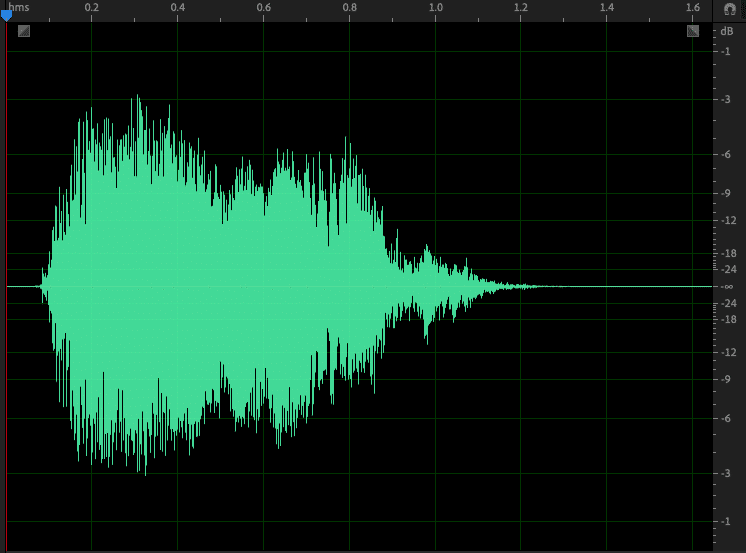
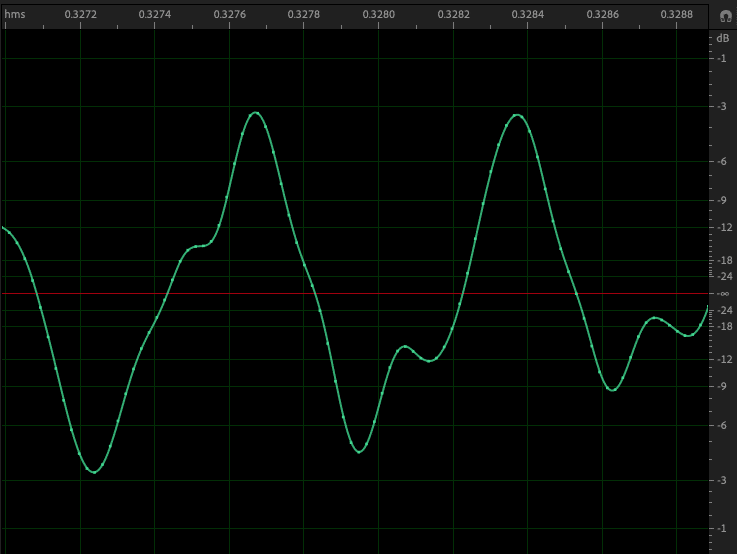
Note how, with the 24-bit version, the attempt to restore the file resulted in a flattened and distorted waveform. The level was also decreased to a peak of -15dB, because the original samples were truncated at 0dB. With the 32-bit float version, the restoration is virtually identical to the original. Below are the two versions zoomed in at the sample level.
Restored 24-bit (-15db)
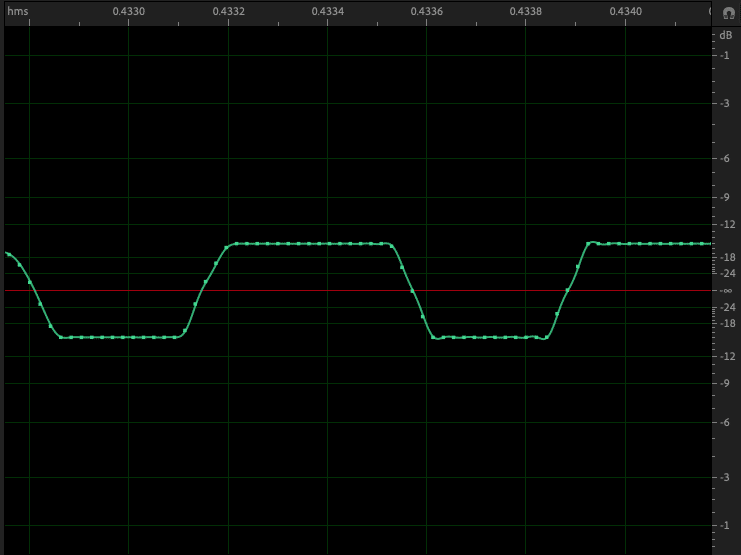
Restored 32-bit float (-15dB)
Consider how useful this would be when recording in the field. Unexpected sounds would no longer be a threat to destroy an otherwise perfect take.
DAWs typically use 32-bit float resolution for internal processing and 64-bit floating point precision for summing. While this is normally fixed, you can choose a bit resolution (typically 16-bit, 24-bit, or 32-bit floating point) for recording and file export settings depending on your needs.
There are several portable digital recorders that offer 32-bit recording, including products from Zoom, Tascam, and Sound Devices.
CONCLUSIONS
While in the majority of cases recording at 24-bit in the studio is perfectly adequate, there are certainly contexts in which 32-bit floating point recording is called for. There is always a necessary compromise that must be considered between dynamic range, storage concerns, and CPU usage. But as storage gets cheaper (and access gets faster) and CPUs get faster, these concerns will become less and less important. For now, if you’re recording in the box or under controlled conditions, 24-bit is still probably the way to go. But for production recording, field recording, or other less predictable scenarios, 32-bit float is definitely the best option.
EXTRAS
Want to win a free license to Kontakt 8? Be one of the first 1000 people to FOLLOW WAVEINFORMER ON INSTAGRAM to be automatically entered to win one of three full-version Kontakt 8 licenses! Read more.
Assess your knowledge of essential audio concepts using our growing catalog of online Quizzes.
Explore more content available to Subscribers, Academic, and Pro Members on the Member Resources page.
Not a Member yet? Check the Member Benefits page for details. There are FREE, paid, and educational options.