Upcycle is a new stand-alone desktop app that will breathe new life into your creative process. If you’re like me, you have thousands of audio files, fragments, experiments, and neglected ideas lurking in the recesses of your computer and external storage devices. Music producers are notorious digital hoarders because deleting unique sound files is a painful and laborious process. The best of us find ways to tag, organize, and catalog sounds into some semblance of a searchable database. Or they remain hidden in project session folders and archived, never to be heard from again.
From time to time I’ve considered a massive purge to unburden myself of over 30 years of sonic dead weight. But having discovered Upcycle from Aria Labs, I’m extremely happy I never followed through.
THE UPCYCLE GUI
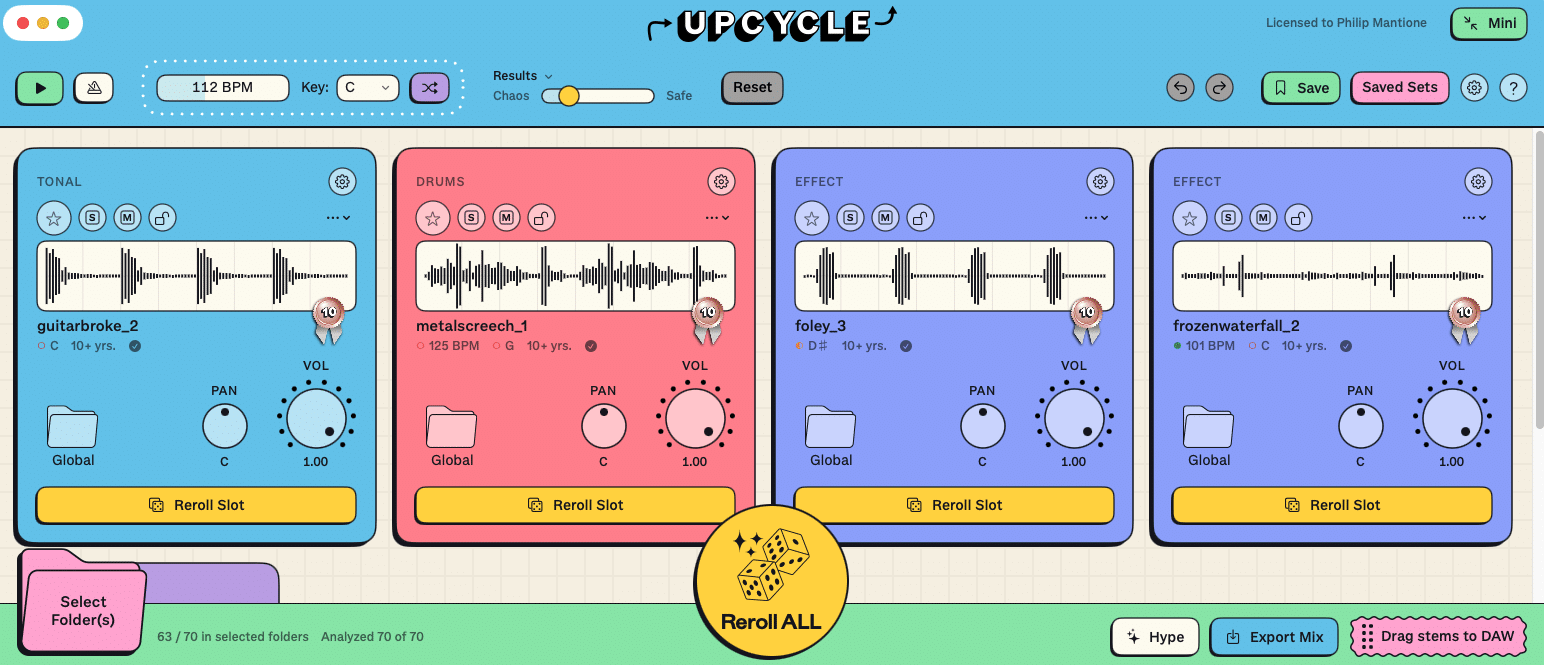
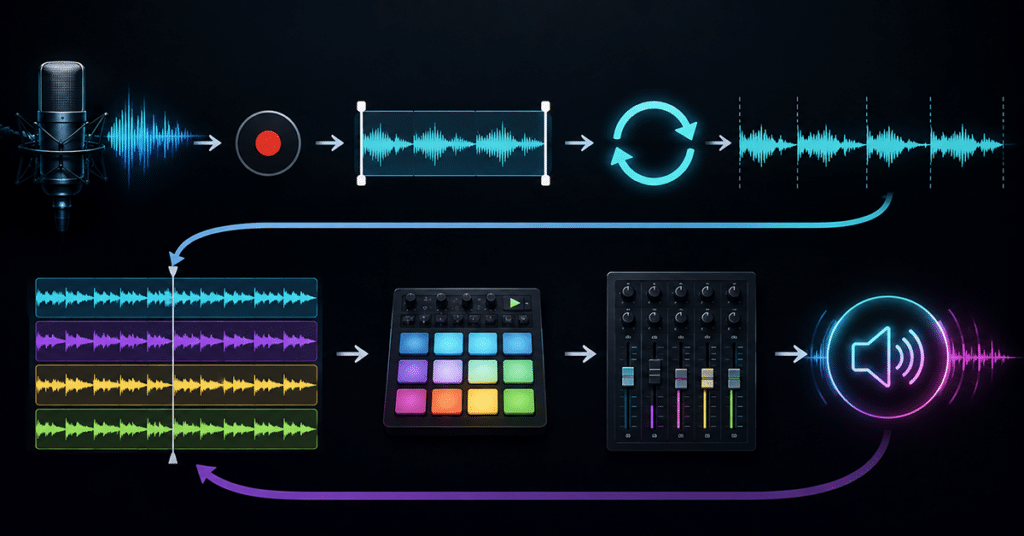
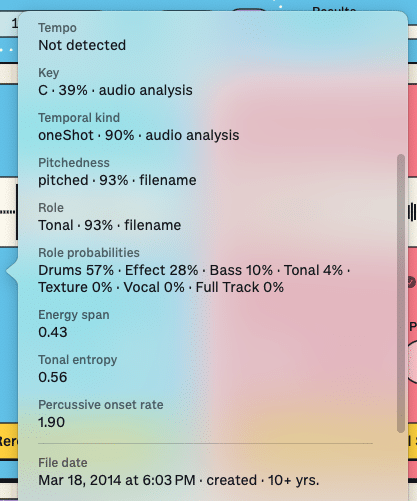
Upcycle is an insanely simple app that will instantly resurrect sounds you’ve completely forgotten about or those that for one reason or another never found their way into a project. It’s as easy as choosing a folder or drive from the interface, and the software does the rest. Four sound file slots are automatically added with a random sound loaded from your source folder(s). Each file is analyzed in terms of tempo and key where possible, and adjusted to match the global settings for your session. In addition to embedded tempo and key data, the analysis will give useful information such as:
- Temporal Kind (one shot, loop, etc.)
- Pitchedness
- Musical Role (drums, texture, vocal, etc.)
- Role Possibilities (for example: Texture 95% · Full Track 3% · Tonal 1% · Vocal 0% · Effect 0% · Drums 0% · Bass 0%)
- Energy Span
- Tonal Entropy
- Percussive Onset Rate
- File Creation Date
NOTE: I reached out to the developers for clarification on a few of these identifiers:
Energy Span: Used to detect one-shots. A loop has energy fairly evenly distributed throughout the file, while a kick drum sample has most of the energy at the top of the file.
Tonal entropy: How much the sound is focused on pitch centers. If it’s just a single note or a simple chord, it has low entropy, while noise or percussion would score high.
Percussive Onset Rate: How many percussive transients there are. A pad or field recording might score low, while drums would score high.
Once a file is loaded, you can adjust panning, volume, octave shift, one-shot frequency (via a mini step sequencer), half/double time setting, and musical role label. If you want to try a different sample, just click the Reroll Slot button and the slot machine graphic will animate a new choice selection. You can delete or add new slots as you choose, mark favorites, or blacklist certain choices.

Global controls include root key and tempo settings, and a useful setting that will come in handy for those with a wide variety of sounds that might have very little or no tempo or key identifiers. The Chaos to Safe slider will provide the algorithm a sense of what you have in mind. You can also change the sequence length from 1 to 8 bars or alter the balance of Reroll choices with a slider that ranges from One Shots to Full Loops.
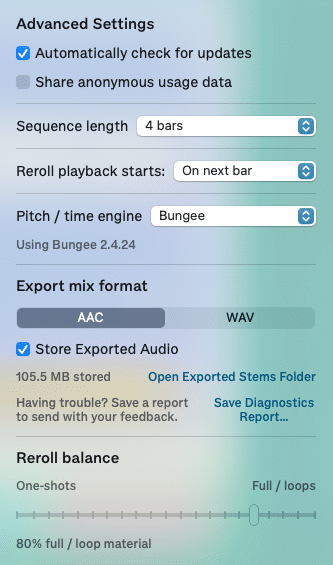
When you’ve compiled a unique sequence, a simple drag and drop into your favorite DAW gives you instant access to the stems for editing and tweaking. Or you can export the mix as an AAC or WAV file.
EXAMPLES
Below are a few examples generated by Upcycle using samples culled from my archives and compiled in less than a second with a few rolls of the dice. No additional processing was used other than some gain adjustments and simple editing.
CONCLUSIONS
If you have tons of sounds lying dormant from years of sound and music production, this humble little application will blow your mind. I couldn’t keep from smiling with every roll of the dice. Although the app currently loads .wav, aif, and mp3 files, I’m actually considering going back to the dark ages of my .sd2 archives and finally batch converting those to a more accessible format.
The beauty of Upcycle is that unlike using presets or commonly found loops, completely unique results are possible based on your own sonic history. As we sit on the precipice of an AI revolution where machine learning plunders the creative output of all things ever recorded, it seems to me the best source from which to steal is your own past.
Buy this! You won’t regret it, and the cost is stupidly low. See current pricing here.
EXTRAS
Want to win a free license to Kontakt 8? Be one of the first 1000 people to FOLLOW WAVEINFORMER ON INSTAGRAM to be automatically entered to win one of three full-version Kontakt 8 licenses! Read more.
Assess your knowledge of essential audio concepts using our growing catalog of online Quizzes.
Explore more content available to Subscribers, Academic, and Pro Members on the Member Resources page.
Not a Member yet? Check the Member Benefits page for details. There are FREE, paid, and educational options